




Repair
Repair Price: $ 1,948.00
Purchase
CSL Part Number: 54804
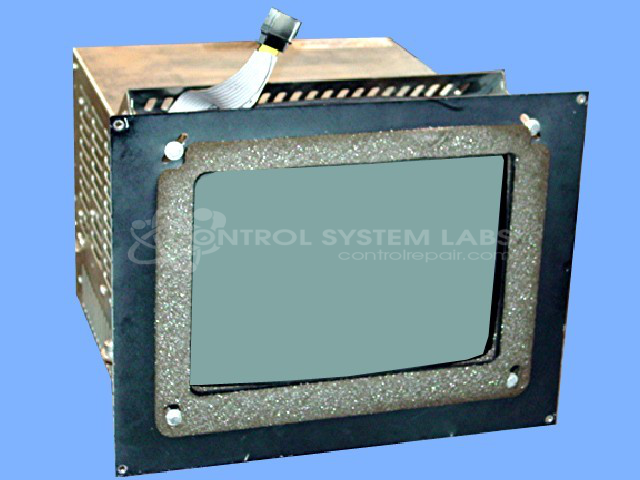
Product Overview: A CRT-based color touch screen operator interface monitor used with injection molding machine controls. It displays process graphics and machine status while allowing operators to navigate screens and input settings, communicating with the host controller for real-time monitoring and setup of plastics processing equipment.
Category: Barber Colman MACO Controls
Manufacturer: Barber-Colman
Manufacturer Synonyms: Barber Coleman, Barbercolman, Invensys
Manufacturer Part Number: 80AG-10002-000-0-01
Series: MACO 8000 CRT Monitor
Brand: Barber-Colman
Repair price could increase if CRT and/or Flyback transformer is bad.
Common Failures
Some common issues with this product include video rolling and not syncing, defective CRT resulting in no output, and persistent graphics errors. These problems can be associated with hardware faults like defective solder bonds or component failures.
Repair Approach
Repairs may involve disassembling and resoldering key components, cleaning and securing connections, and replacing defective parts. For example, issues with video syncing have been addressed by resoldering the video board and securing connections. Additionally, a defective solder bond at the power supply transformer connection on the CRT board may be cleaned and resoldered to address certain display and power issues.
Testing & Quality
Post-repair testing includes burn-in periods and multiple power cycles to help ensure reliability. Each unit is verified with communication tests to confirm full functionality before concluding the repair process.
Service and repair your broken Barber-Colman part
We can repair your Barber-Colman model 80AG-10002-000-0-01 in our facility. Let our skilled technicians get your Barber-Colman back in operation quickly.
Step 1 - Click the green 'Repair Now' button above to add the part and then complete the RMA.
Step 2 - The RMA form will be sent to you via email. Print the RMA form and put it in a box with the item(s) for repair.
Step 3 - Ship or mail the box to the address listed on the RMA.
Once the user has seen at least one product this snippet will be visible.