



Repair
Repair Price: $ 1,856.00
Purchase
CSL Part Number: 35345
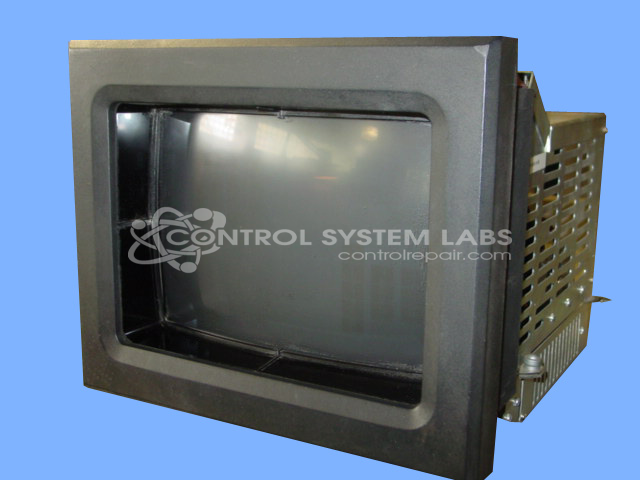
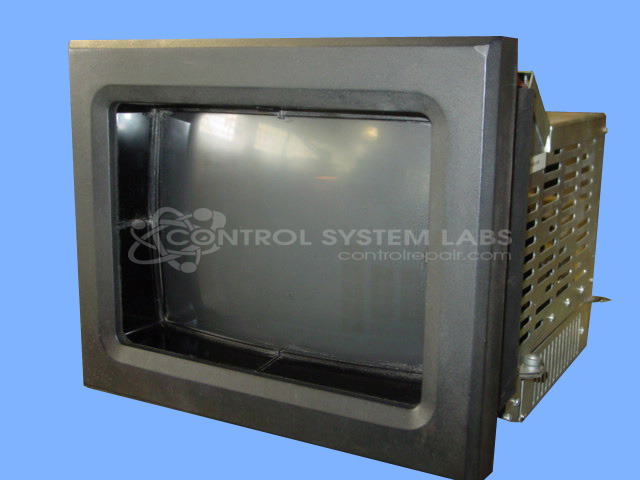
Product Overview: The MACO 8000 Touch Screen Color Monitor is a CRT-based human-machine interface manufactured by Barber Colman for industrial control applications. It features a color display with integrated touch screen functionality, enabling operators to interact directly with automated systems. This monitor is part of the MACO 8000 series and uses the 80AG platform, which includes modular components such as positioning bars, communication cards, and logic boards. Commonly found in paper manufacturing and other process industries, it serves as a graphical operator interface for monitoring and controlling machinery and production lines.
Category: Barber Colman MACO Controls
Manufacturer: Barber-Colman
Manufacturer Synonyms: Barber Coleman, Barbercolman, Invensys
Manufacturer Part Number: 80AG-13002-000-0-00
Series: MACO 8000 CRT Monitor
Brand: Barber-Colman
Repair price could increase if CRT and/or Flyback transformer is bad.
Common Failures
Units have been received with reported screen functionality issues. In some cases, the screen was non-operational. There have been instances where components were missing, which affected functionality.
Repair Approach
Repair may involve logic board replacement if the screen is not functioning. In scenarios where parts are missing, replacement components may be sourced to restore proper operation. Each unit is evaluated individually, and a quotation is provided before any repair work begins.
Testing & Quality
After repair, units are tested to verify functionality. Testing may include extended operational procedures to confirm that systems are operating as expected prior to return shipment.
Service and repair your broken Barber-Colman part
We can repair your Barber-Colman model 80AG-13002-000-0-00 in our facility. Let our skilled technicians get your Barber-Colman back in operation quickly.
Step 1 - Click the green 'Repair Now' button above to add the part and then complete the RMA.
Step 2 - The RMA form will be sent to you via email. Print the RMA form and put it in a box with the item(s) for repair.
Step 3 - Ship or mail the box to the address listed on the RMA.
Once the user has seen at least one product this snippet will be visible.