




Repair
Repair Price: $ 2,204.00
Purchase
CSL Part Number: 48361
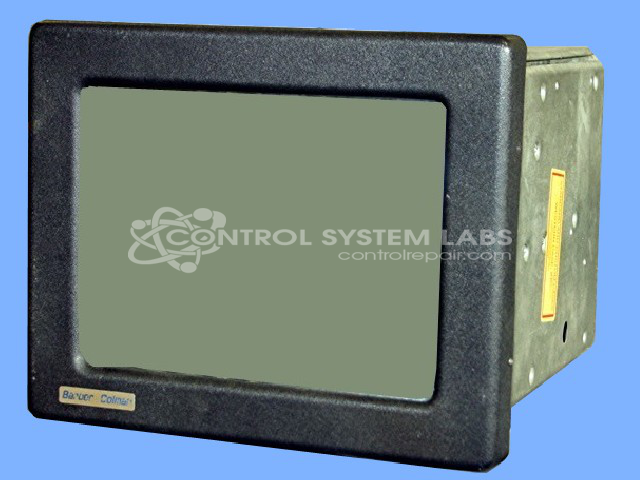
Product Overview: A color touchscreen operator interface station used in plastic injection molding machine control systems. It provides the human-machine interface for monitoring and adjusting process parameters, displaying machine graphics, and entering operator commands. Features a touchscreen display, CPU board, and integrated power supplies for communication with the molding control.
Category: Barber Colman MACO Controls
Manufacturer: Barber-Colman
Manufacturer Synonyms: Barber Coleman, Barbercolman, Invensys
Manufacturer Part Number: 80AT-12050-000-V-00
Series: MACO 8000 Injection Molding Controls
Brand: Barber-Colman
Common Failures
Common reported issues include cracked or non-functional touchscreens, beeping sounds, and display problems. Typical symptoms include physical damage to touchscreens, beeping during start-up, screen flickering, and rolling or degraded displays.
Repair Approach
Repair solutions may include replacing defective touchscreens, addressing power and display issues through component replacement or capacitor updates, and resoldering connections as needed. For display problems, adjustments and component replacements are evaluated and performed when appropriate.
Testing & Quality
Repairs are followed by testing to verify functionality and stability. Testing procedures include extended burn-in with communications, verification of power supply voltages, and display adjustments to ensure proper operation.
Service and repair your broken Barber-Colman part
We can repair your Barber-Colman model 80AT-12050-000-V-00 in our facility. Let our skilled technicians get your Barber-Colman back in operation quickly.
Step 1 - Click the green 'Repair Now' button above to add the part and then complete the RMA.
Step 2 - The RMA form will be sent to you via email. Print the RMA form and put it in a box with the item(s) for repair.
Step 3 - Ship or mail the box to the address listed on the RMA.
Once the user has seen at least one product this snippet will be visible.