


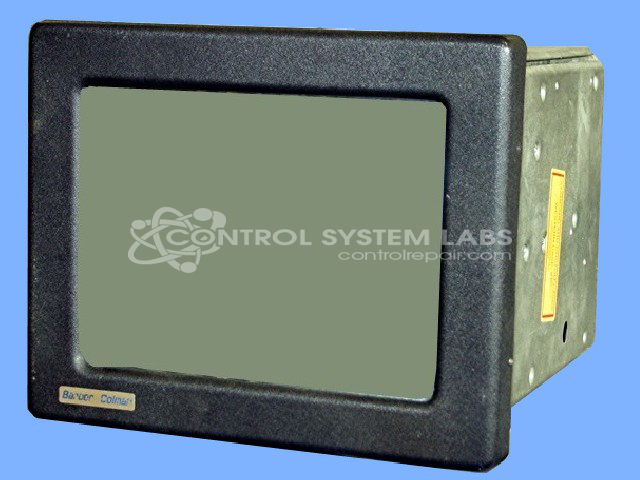


Repair
Repair Price: $ 2,204.00
Purchase
CSL Part Number: 34362
Category: Barber Colman MACO Controls
Manufacturer: Barber-Colman
Manufacturer Synonyms: Barber Coleman, Barbercolman, Invensys
Manufacturer Part Number: 80AT-15050-000-V-00
Series: MACO 8000 Injection Molding Controls
Brand: Barber-Colman
Common Failures
Frequently encountered issues include touchscreen failures, power supply issues, and unit control problems. Touchscreen problems may involve alignment issues, erratic responses, or loss of location geometry. Displays can also experience screen cracks and incorrect display outputs. Power supplies may fail or become loose from their mounting, which can result in a black or non-functional screen.
Repair Approach
Repairs may involve replacing defective touchscreens, upgrading screens from CRT to LCD, and addressing power supply and connectivity issues. Common solutions include replacing or upgrading capacitors in power supplies, replacing faulty microcomponents, and recalibrating touchscreens. In instances of physical damage such as cracked screens, an upgrade to LCD units may be available.
Testing & Quality
Repaired units undergo testing, including extended burn-in periods that can range from a few hours to over a day. These procedures help verify that functionality has been restored, with attention to proper communication interfaces and user interactions. Testing is completed before units are returned to customers.
Service and repair your broken Barber-Colman part
We can repair your Barber-Colman model 80AT-15050-000-V-00 in our facility. Let our skilled technicians get your Barber-Colman back in operation quickly.
Step 1 - Click the green 'Repair Now' button above to add the part and then complete the RMA.
Step 2 - The RMA form will be sent to you via email. Print the RMA form and put it in a box with the item(s) for repair.
Step 3 - Ship or mail the box to the address listed on the RMA.
Once the user has seen at least one product this snippet will be visible.