




Repair
Repair Price: $ 784.00
Purchase
CSL Part Number: 32286
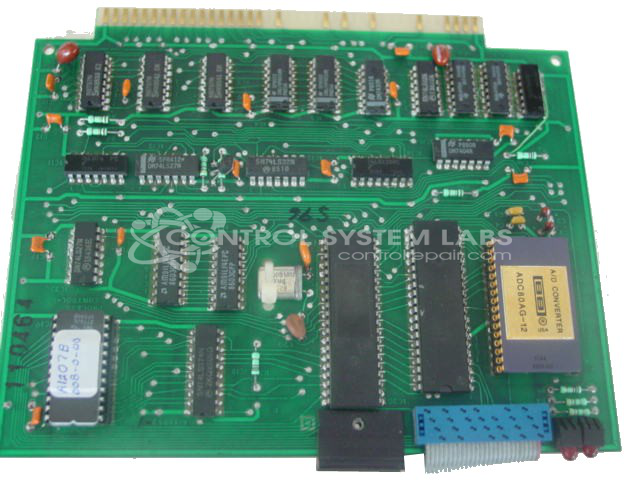
Product Overview: The PC1 is a microprocessor-based parison/process control card used in blow molding and injection molding machinery. Built around an 8085A CPU with EPROM-stored firmware, it monitors and controls parameters such as hydraulic pressure, mold pressure, and RAM position within industrial plastics processing control systems.
Category: Barber Colman MACO Controls
Manufacturer: Barber-Colman
Manufacturer Synonyms: Barber Coleman, Barbercolman, Invensys
Manufacturer Part Number: A-11952-0-1
Brand: Barber-Colman
Common Failures
Several reported issues involved error codes such as "ERROR CODE = NODMA" and "System call error/no DMA." These issues often stemmed from defective or improperly programmed EPROM chips, which are integral to the device's control operations. Other symptoms included lack of pressure display and general control problems.
Repair Approach
The primary repair method consisted of replacing or correctly programming the malfunctioning EPROM chips. In some cases, replacement involved burning a new program onto a new EPROM chip to restore functionality. Additionally, technicians sometimes reseated socketed ICs and cleaned edge connectors to ensure proper operation. Devices were then tested to confirm the repair.
Testing & Quality
Repaired devices underwent testing to verify functionality. Post-repair, devices typically ran for 24 hours to ensure consistent operation. In specific cases, the newly burned EPROM was tested for 4 hours to verify its performance and the absence of any glitches.
Service and repair your broken Barber-Colman part
We can repair your Barber-Colman model A-11952-0-1 in our facility. Let our skilled technicians get your Barber-Colman back in operation quickly.
Step 1 - Click the green 'Repair Now' button above to add the part and then complete the RMA.
Step 2 - The RMA form will be sent to you via email. Print the RMA form and put it in a box with the item(s) for repair.
Step 3 - Ship or mail the box to the address listed on the RMA.
Once the user has seen at least one product this snippet will be visible.