


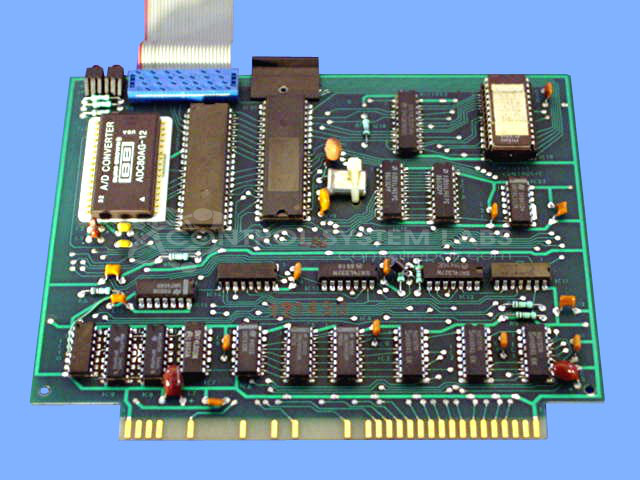


Repair
Repair Price: $ 860.00
Purchase
CSL Part Number: 32066
Product Overview: A parison control card used in blow molding machinery to regulate wall thickness of extruded plastic parisons. Part of the MACO process control system, it manages shot size and parison programming, and typically operates as part of a two-board combination with an EPROM-based configuration.
Category: Barber Colman MACO Controls
Manufacturer: Barber-Colman
Manufacturer Synonyms: Barber Coleman, Barbercolman, Invensys
Manufacturer Part Number: A-11952-1
Series: MACO
Brand: Barber-Colman
Common Failures
Common issues reported include automatic changes in shot size and concerns related to EPROM functionality. In some cases, the integrity of the EPROM data cannot be fully confirmed without additional customer information.
Repair Approach
We conduct testing to recreate reported problems, including extended runtime evaluation and EPROM verification against known configurations. When EPROMs are found in incorrect orientations or with mismatched data, they are documented and returned with the unit.
Testing & Quality
Units are tested for a minimum of 24 hours in a controlled setup to verify proper operation. We make every effort to verify the integrity of customer-supplied components, though some limitations exist in confirming external EPROM data integrity without original specification details.
Service and repair your broken Barber-Colman part
We can repair your Barber-Colman model A-11952-1 in our facility. Let our skilled technicians get your Barber-Colman back in operation quickly.
Step 1 - Click the green 'Repair Now' button above to add the part and then complete the RMA.
Step 2 - The RMA form will be sent to you via email. Print the RMA form and put it in a box with the item(s) for repair.
Step 3 - Ship or mail the box to the address listed on the RMA.
Once the user has seen at least one product this snippet will be visible.