


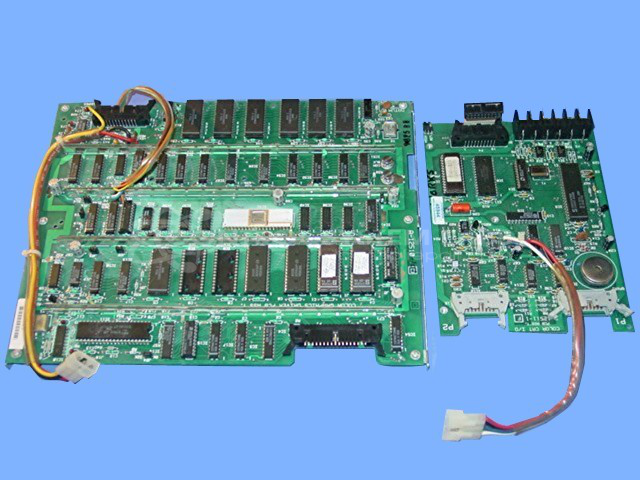


Repair
Repair Price: $ 1,676.00
Purchase
CSL Part Number: 73872
Product Overview: A two-board set combining a color monitor board and a communications board for an industrial machine control system. It generates video output, drives operator interface graphics, and handles communications, supporting IR touchscreen operation. Commonly used in paper machine process control applications.
Category: Barber Colman MACO Controls
Manufacturer: Barber-Colman
Manufacturer Synonyms: Barber Coleman, Barbercolman, Invensys
Manufacturer Part Number: A-12510-1 W/A-12511-1
Series: MACO
Brand: Barber-Colman
Common Failures
Common issues with this product include erratic startup, failure to initialize, lack of video output, and persistent beeping. Specific problems like defective EEPROMs and EPROMs, memory chips, and programmed ICs are also noted. Customers may encounter graphics checksum failures requiring graphic screens to be reloaded.
Repair Approach
Repairs typically involve replacing faulty components such as memory chips, Pals, TTL components, comparators, and zener diodes. In some cases, capacitors and specific programmed ICs are also replaced. Additional measures include cleaning, reseating of socketed ICs, and verifying communication and video functionality.
Testing & Quality
Repaired units undergo extensive testing, including overnight and extended burn-in periods with communication checks. Products are tested as complete units for communication, video output, and functionality. Vibration and flex testing are conducted to verify reliability, with units sometimes being operational for a week under standard conditions.
Service and repair your broken Barber-Colman part
We can repair your Barber-Colman model A-12510-1 W/A-12511-1 in our facility. Let our skilled technicians get your Barber-Colman back in operation quickly.
Step 1 - Click the green 'Repair Now' button above to add the part and then complete the RMA.
Step 2 - The RMA form will be sent to you via email. Print the RMA form and put it in a box with the item(s) for repair.
Step 3 - Ship or mail the box to the address listed on the RMA.
Once the user has seen at least one product this snippet will be visible.