



Repair
Repair Price: $ 520.00
Purchase
CSL Part Number: 26275
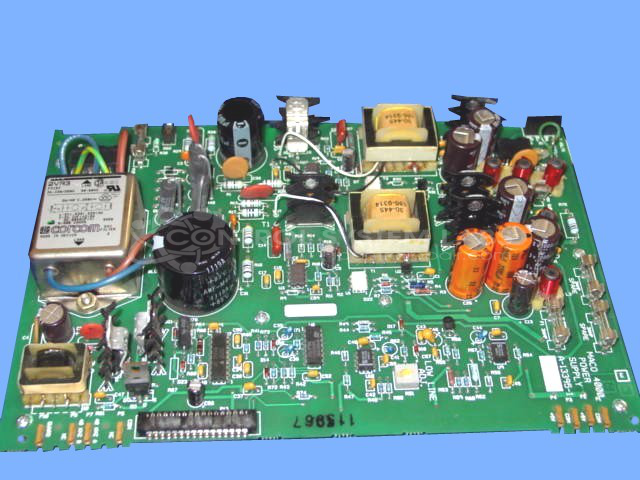
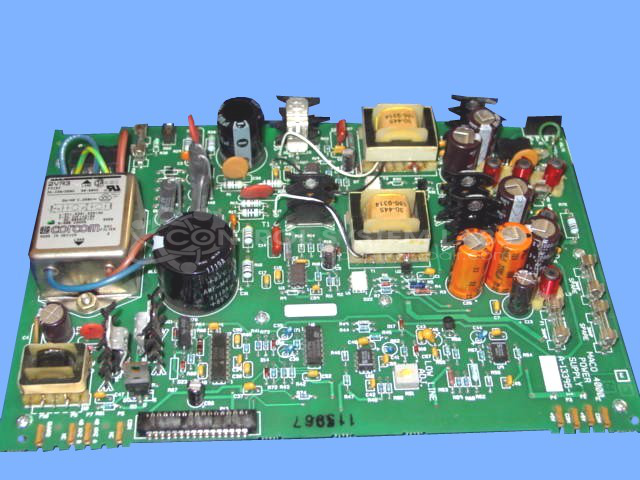
Product Overview: The Barber-Colman Maco 4000 Power Supply (model A-13395-1) is a switching power supply designed for industrial control systems in paper manufacturing and processing equipment. It converts 120VAC input to regulated DC outputs, including a primary 5-volt rail used to power control logic and interface circuitry. This supply is a critical component in Maco 4000 series control platforms, providing stable power for sensors, processors, and communication modules in automated paper machine control applications.
Category: Power Supply
Manufacturer: Barber-Colman
Manufacturer Synonyms: Barber Coleman, Barbercolman, Invensys
Manufacturer Part Number: A-13395-1
Series: MACO 4000
Brand: Barber-Colman
Common Failures
Units may fail to power on due to capacitor failure. Failed capacitors can sometimes be identified by physical signs such as domed tops or other visible damage.
Repair Approach
When capacitor failure is confirmed during evaluation, the defective capacitors are replaced. Additional capacitors may be replaced as needed based on inspection findings and component condition.
Testing & Quality
Following repair, each unit undergoes testing under standard input and output conditions to confirm proper operation. Testing protocols are designed to verify functionality before the unit is returned.
Service and repair your broken Barber-Colman part
We can repair your Barber-Colman model A-13395-1 in our facility. Let our skilled technicians get your Barber-Colman back in operation quickly.
Step 1 - Click the green 'Repair Now' button above to add the part and then complete the RMA.
Step 2 - The RMA form will be sent to you via email. Print the RMA form and put it in a box with the item(s) for repair.
Step 3 - Ship or mail the box to the address listed on the RMA.
Once the user has seen at least one product this snippet will be visible.