



Repair
Repair Price: $ 1,048.00
Purchase
CSL Part Number: 67798
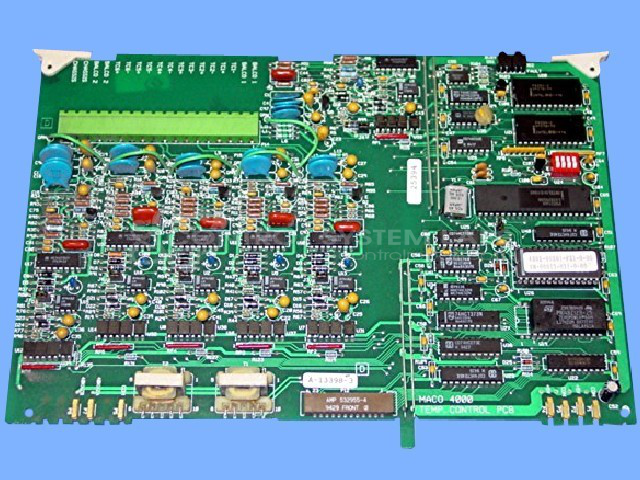
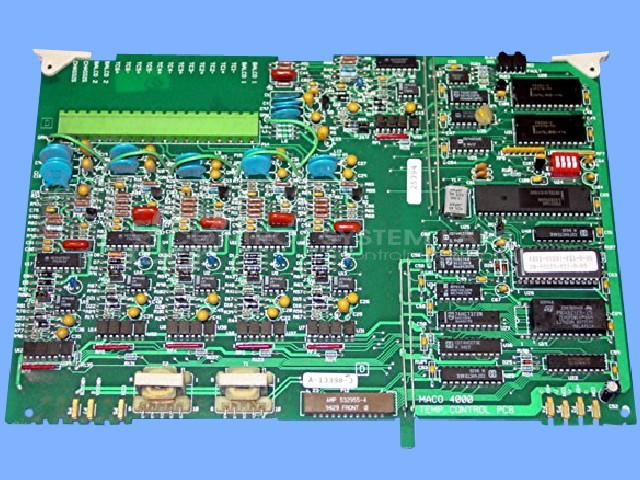
Product Overview: The Maco 4000 Temperature Board, manufactured by Barber Colman, is a control board designed for precise temperature management. It is part of the MACO 4000 series and operates in industrial settings, commonly found in applications such as plastic extrusion and similar processes requiring meticulous temperature control. Known for reliability, it integrates advanced components like NVSRAM and EEPROM for data retention and processing efficiency.
Category: Control Board
Manufacturer: Barber-Colman
Manufacturer Synonyms: Barber Coleman, Barbercolman, Invensys
Manufacturer Part Number: A-13398-3
Series: MACO 4000
Brand: Barber-Colman
Also Known As(AKA): A-60133-30X-1-00
Common Failures
One of the most common issues observed with this product is the inability to read temperatures, with all sensors displaying the maximum value. This often appears to be related to memory components and logic circuits.
Repair Approach
Repairs may involve replacing components such as EPROM, EEPROM, and NVSRAM chips. Additional work may include replacing certain logic and timer ICs when warranted by evaluation findings. When necessary, content from original components is preserved by copying data from reference boards.
Testing & Quality
Repaired units undergo diagnostic testing, which may include burn-in tests under load conditions. Each device is subject to quality checks to verify functionality before being returned to the customer.
Service and repair your broken Barber-Colman part
We can repair your Barber-Colman model A-13398-3 in our facility. Let our skilled technicians get your Barber-Colman back in operation quickly.
Step 1 - Click the green 'Repair Now' button above to add the part and then complete the RMA.
Step 2 - The RMA form will be sent to you via email. Print the RMA form and put it in a box with the item(s) for repair.
Step 3 - Ship or mail the box to the address listed on the RMA.
Once the user has seen at least one product this snippet will be visible.