




Repair
Repair Price: $ 484.00
Purchase
CSL Part Number: 26845
Category: Control Board
Manufacturer: Barber-Colman
Manufacturer Synonyms: Barber Coleman, Barbercolman, Invensys
Manufacturer Part Number: A-13402-3
Series: MACO 4000
Brand: Barber-Colman
Common Failures
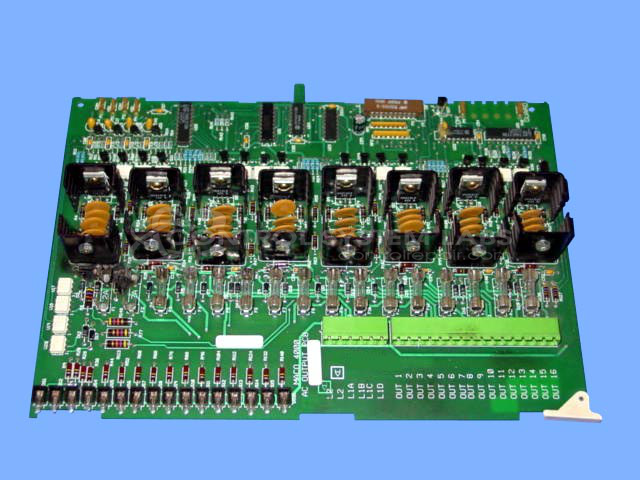
Units received for evaluation commonly exhibit non-functional outputs. Reported issues have included problems with specific outputs such as Output #7 and Output #1. Common findings during evaluation include missing or loose fuses and connector-related concerns. In some cases, component replacement may be performed as part of the repair process. Damaged PCB traces have also been observed and may require repair and component replacement.
Repair Approach
Our team evaluates each unit to identify the root cause of the reported issue. Repairs may include replacement of fuses or connectors and verification that all connections are secure. Component replacement, including capacitors, may be performed when indicated by evaluation findings. When PCB trace damage is identified, repair of traces and associated component replacement is performed. Testing is conducted following repair work to verify functionality.
Testing & Quality
Each repaired unit undergoes testing to verify functionality before return to the customer. Testing includes diagnostic evaluation and operational testing as appropriate to the repair performed.
Service and repair your broken Barber-Colman part
We can repair your Barber-Colman model A-13402-3 in our facility. Let our skilled technicians get your Barber-Colman back in operation quickly.
Step 1 - Click the green 'Repair Now' button above to add the part and then complete the RMA.
Step 2 - The RMA form will be sent to you via email. Print the RMA form and put it in a box with the item(s) for repair.
Step 3 - Ship or mail the box to the address listed on the RMA.
Once the user has seen at least one product this snippet will be visible.