



Repair
Repair Price: $ 856.00
Purchase
CSL Part Number: 71547
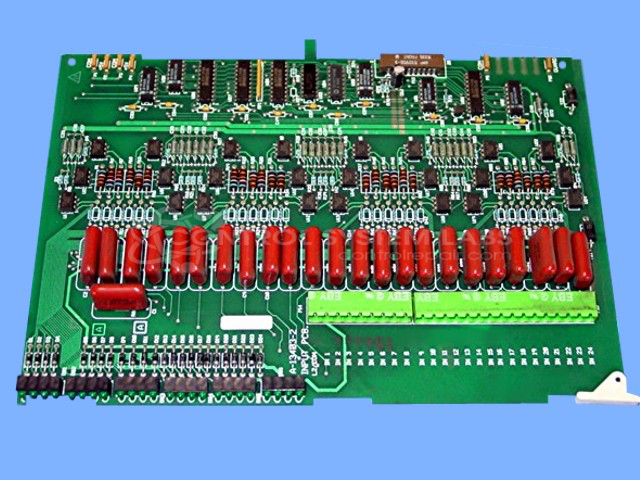
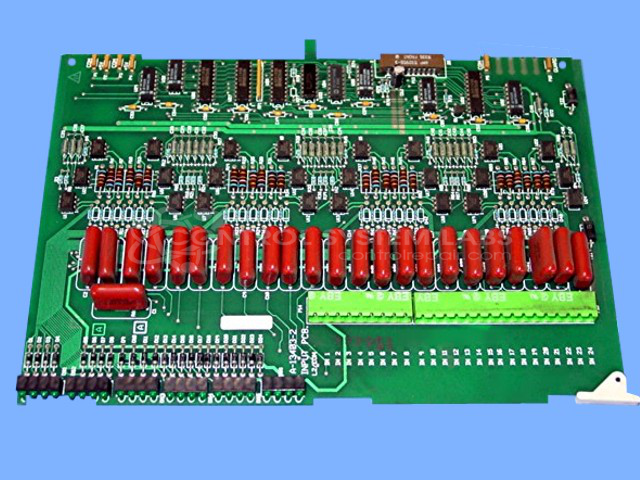
Product Overview: The Maco 4000 Input Board (A-13403) is a high-density digital input module designed for the Barber-Colman MACO 4000 building automation system. It interfaces multiple field devices such as sensors, switches, and status contacts to the MACO controller for monitoring and control applications in HVAC and building management systems. The board processes discrete input signals and communicates status to the system's HMI, enabling operators to monitor equipment states and alarm conditions across commercial and industrial facilities.
Category: Barber Colman MACO Controls
Manufacturer: Barber-Colman
Manufacturer Synonyms: Barber Coleman, Barbercolman, Invensys
Manufacturer Part Number: A-13403
Series: MACO 4000
Brand: Barber-Colman
Common Failures
Common failures observed include issues with the input card not registering correctly on the human-machine interface (HMI) and physical damage such as broken traces on the board. Leaking capacitors can cause damage that affects connectivity and functionality.
Repair Approach
Repairs typically involve replacing defective capacitors and cleaning the printed circuit board (PCB) to remove any residue. In cases of physical damage, such as a broken trace, board repairs are conducted to restore connectivity. For persistent input failures, comprehensive measures such as replacing associated components may be necessary.
Testing & Quality
Repaired units undergo testing, including burn-in tests and signal input testing. Our team verifies workmanship and quality before units are returned.
Service and repair your broken Barber-Colman part
We can repair your Barber-Colman model A-13403 in our facility. Let our skilled technicians get your Barber-Colman back in operation quickly.
Step 1 - Click the green 'Repair Now' button above to add the part and then complete the RMA.
Step 2 - The RMA form will be sent to you via email. Print the RMA form and put it in a box with the item(s) for repair.
Step 3 - Ship or mail the box to the address listed on the RMA.
Once the user has seen at least one product this snippet will be visible.