




Repair
Repair Price: $ 1,996.00
Purchase
CSL Part Number: 36376
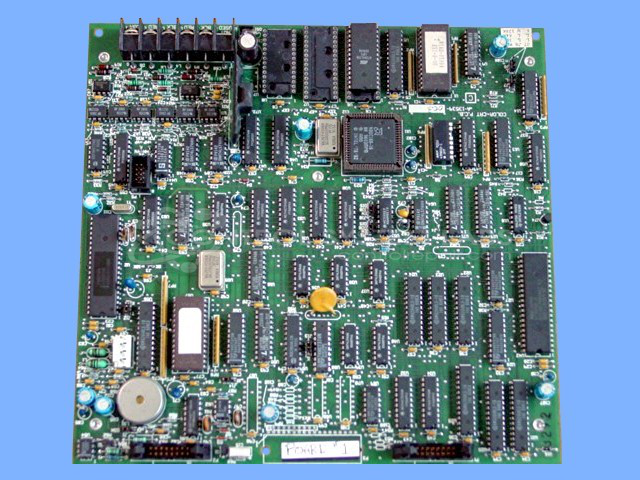
Product Overview: A color monitor video board for MACO-series industrial process controllers, generating graphics display output for operator touchscreen interfaces. Based on an 8031 microcontroller with programmed GAL logic and EEPROM, it handles video signal generation and operator communications in paper machine and process control applications.
Category: Barber Colman MACO Controls
Manufacturer: Barber-Colman
Manufacturer Synonyms: Barber Coleman, Barbercolman, Invensys
Manufacturer Part Number: A-13539-003
Series: MACO
Brand: Barber-Colman
Common Failures
Common issues reported with this product include CPU resets, no display output, video signal loss, and control malfunctions. These problems are often associated with damaged components or circuit traces. Previous repair attempts using poor desoldering techniques can result in additional trace damage.
Repair Approach
Repairs may involve integrated circuit replacement, circuit trace repair or rerouting, and component reseating. When components are missing due to previous repair attempts, replacements are installed based on specifications from reference units.
Testing & Quality
Repaired units undergo testing that may include communication verification and burn-in periods. Additional testing such as vibration and cold start procedures may be performed to verify repair integrity. Units that pass testing are confirmed to meet operational standards.
Service and repair your broken Barber-Colman part
We can repair your Barber-Colman model A-13539-003 in our facility. Let our skilled technicians get your Barber-Colman back in operation quickly.
Step 1 - Click the green 'Repair Now' button above to add the part and then complete the RMA.
Step 2 - The RMA form will be sent to you via email. Print the RMA form and put it in a box with the item(s) for repair.
Step 3 - Ship or mail the box to the address listed on the RMA.
Once the user has seen at least one product this snippet will be visible.