




Repair
Repair Price: $ 1,064.00
Purchase
CSL Part Number: 26684
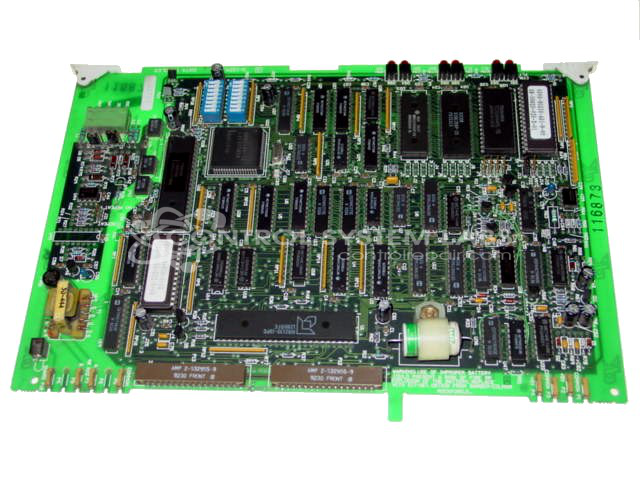
Product Overview: The Data Handler Board is a plug-in control module for the MACO 4000 process control system, used in industrial machinery such as paper manufacturing equipment. It manages data processing and communication between system components, interfacing via a P1 backplane connector and featuring onboard battery-backed memory for storing operating programs and configuration screens.
Category: Barber Colman MACO Controls
Manufacturer: Barber-Colman
Manufacturer Synonyms: Barber Coleman, Barbercolman, Invensys
Manufacturer Part Number: A-13766-1
Series: MACO 4000
Brand: Barber-Colman
Also Known As(AKA): A-133397-1 ON BOARD
Common Failures
This product has experienced intermittent shutdowns, commonly occurring within 30 minutes of operation. Damage to the main connector has been observed as a contributing factor, particularly when the connector is damaged or installed incorrectly.
Repair Approach
When the connector is determined to be the source of the problem, it may be replaced. We also inspect the backplane pins to ensure they are not bent, as this could contribute to recurring issues.
Testing & Quality
Post-repair, the product undergoes testing to verify functionality. For example, after a connector replacement, the device may be tested over an extended period to confirm stable operation. Battery checks are also performed to verify that all components function correctly.
Service and repair your broken Barber-Colman part
We can repair your Barber-Colman model A-13766-1 in our facility. Let our skilled technicians get your Barber-Colman back in operation quickly.
Step 1 - Click the green 'Repair Now' button above to add the part and then complete the RMA.
Step 2 - The RMA form will be sent to you via email. Print the RMA form and put it in a box with the item(s) for repair.
Step 3 - Ship or mail the box to the address listed on the RMA.
Once the user has seen at least one product this snippet will be visible.