




Repair
Repair Price: $ 616.00
Purchase
CSL Part Number: 71601
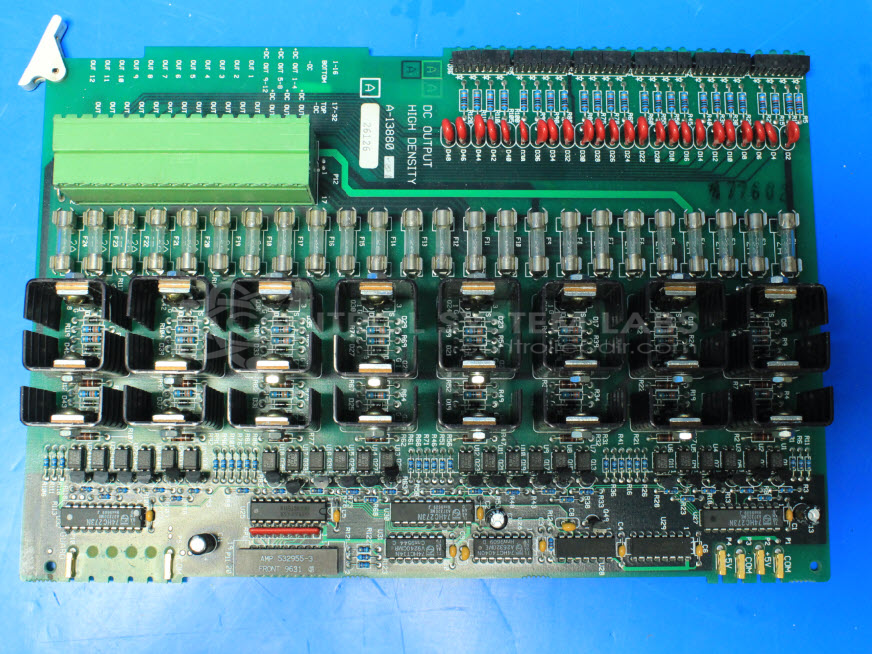
Product Overview: A high-density digital output board for distributed process control systems, providing multiple optically isolated, fuse-protected DC output channels driven by transistors. Used in paper machine and industrial process control applications, it switches field devices and includes per-output LED status indicators.
Category: Barber Colman MACO Controls
Manufacturer: Barber-Colman
Manufacturer Synonyms: Barber Coleman, Barbercolman, Invensys
Manufacturer Part Number: A-13880
Series: MACO
Brand: Barber-Colman
Also Known As(AKA): A-60068
Common Failures
Several recurring issues have been identified with this product, including outputs not functioning correctly, certain outputs stuck in an on or off position, and physical damage such as bent LED banks. Specific examples include output 7 being always on while outputs 1 and 2 were intermittently on/off, and output 19 being off. Another noted issue was output 2 being missing accompanied by a bent LED bank.
Repair Approach
The repair process often involves replacing damaged components, such as fuses, opto-electronic parts, and transistors. In several instances, a 2A fuse replacement and repair of the LED bank resolved the issues. Additionally, proper installation of components with necessary heat dissipation measures, like adding heatsinks, has been part of the solution.
Testing & Quality
After repairs, thorough testing is conducted. In all documented cases, systems were checked and tested to verify repairs before being returned to the customer.
Service and repair your broken Barber-Colman part
We can repair your Barber-Colman model A-13880 in our facility. Let our skilled technicians get your Barber-Colman back in operation quickly.
Step 1 - Click the green 'Repair Now' button above to add the part and then complete the RMA.
Step 2 - The RMA form will be sent to you via email. Print the RMA form and put it in a box with the item(s) for repair.
Step 3 - Ship or mail the box to the address listed on the RMA.
Once the user has seen at least one product this snippet will be visible.