



Repair
Repair Price: $ 1,380.00
Purchase
CSL Part Number: 74199
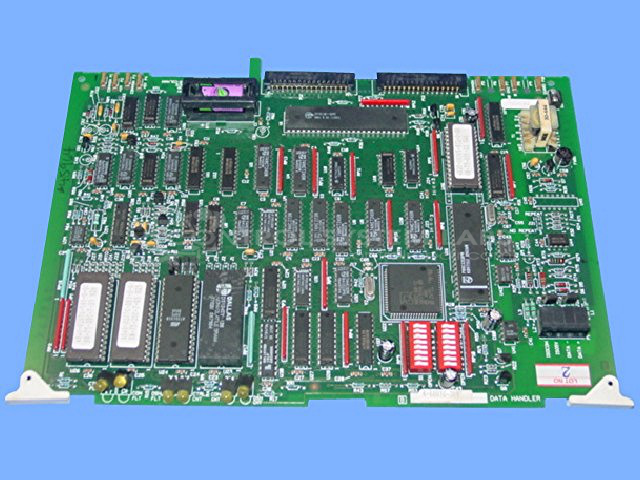
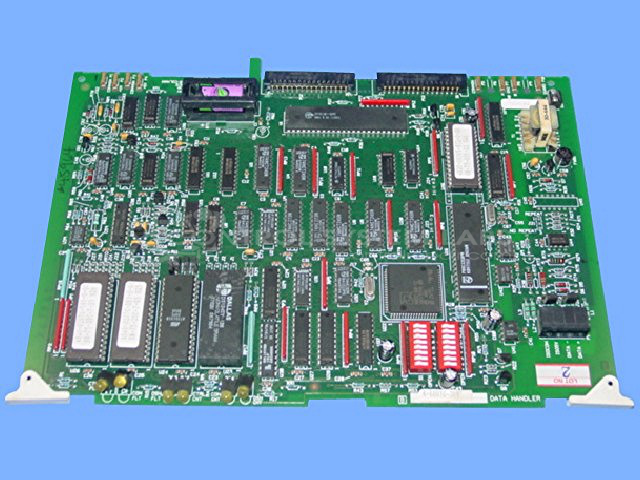
Product Overview: The Maco 4000 Data Handler Board (A-60010-709) is a control board used in Barber-Colman Maco 4000 and 6000 series process control systems. It serves as the central data processing and communication interface for the control system, managing temperature control signals and coordinating between various system modules. This board is commonly found in industrial paper processing equipment and other manufacturing applications requiring precise environmental control. It features battery-backed memory for retaining system configurations and operates within the Maco distributed control architecture.
Category: Control Board
Manufacturer: Barber-Colman
Manufacturer Synonyms: Barber Coleman, Barbercolman, Invensys
Manufacturer Part Number: A-60010-709
Series: MACO 4000 6000
Brand: Barber-Colman
Common Inquiries
Some customers have inquired about compatibility with specific original models or have raised questions regarding temperature board wiring connections. We recommend verifying that all wiring connections are secure and properly seated before operation.
Testing & Quality
During our evaluation, this unit underwent diagnostic testing, including communication checks and burn-in procedures. No physical damage or component faults were identified during the evaluation. The unit was found to be serviceable based on our testing. If issues are encountered during installation or operation, we recommend verifying all connections and contacting CSL Customer Service for further assistance.
Service and repair your broken Barber-Colman part
We can repair your Barber-Colman model A-60010-709 in our facility. Let our skilled technicians get your Barber-Colman back in operation quickly.
Step 1 - Click the green 'Repair Now' button above to add the part and then complete the RMA.
Step 2 - The RMA form will be sent to you via email. Print the RMA form and put it in a box with the item(s) for repair.
Step 3 - Ship or mail the box to the address listed on the RMA.
Once the user has seen at least one product this snippet will be visible.