




Repair
Repair Price: $ 2,784.00
Purchase
CSL Part Number: 84854
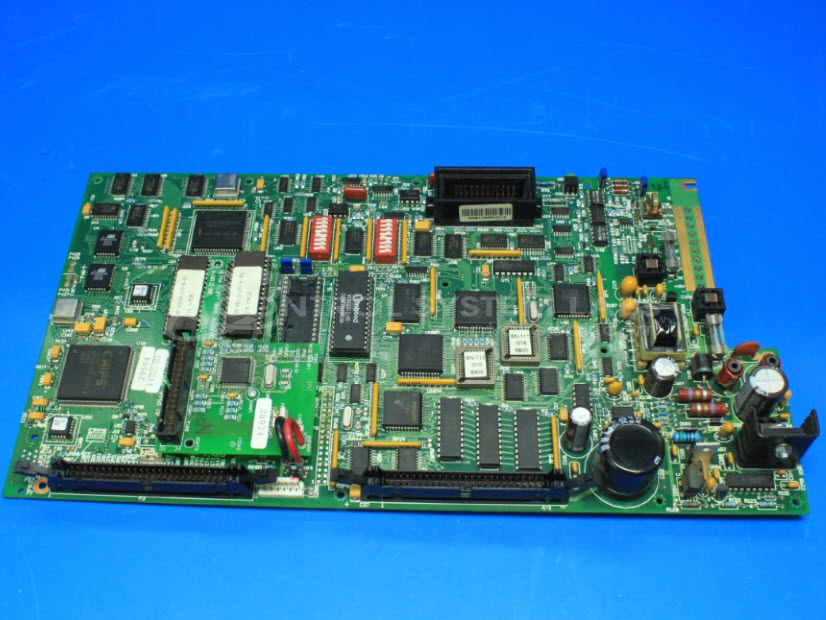
Product Overview: CPU board serving as the main processor for an operator station within an injection molding machine control system. It drives a 640x480 pixel, 16-color LCD display and manages keypad input for machine operation and monitoring in industrial plastics processing applications.
Category: Barber Colman MACO Controls
Manufacturer: Barber-Colman
Manufacturer Synonyms: Barber Coleman, Barbercolman, Invensys
Manufacturer Part Number: A-60021-303
Series: MACO 4000
Brand: Barber-Colman
Common Failures
Units may exhibit a white screen display, which can be related to the communication cable between the display and the main circuit board. This type of issue may indicate a connection problem that could require cable replacement.
Repair Approach
We would evaluate the physical connection between the display and circuit board. In some cases, firmware adjustments may be explored as part of the evaluation process. If physical damage is identified or firmware adjustments are insufficient, repair may involve cable replacement or further component-level work. Not all units with this symptom are repairable, and a quotation would be provided once the unit is reviewed.
Testing & Quality
In some instances, units may be returned unrepaired if the issue cannot be resolved or if repair is not economically feasible. CSL performs thorough evaluation and testing to determine the appropriate course of action and will communicate findings to the customer before proceeding with any chargeable work.
Service and repair your broken Barber-Colman part
We can repair your Barber-Colman model A-60021-303 in our facility. Let our skilled technicians get your Barber-Colman back in operation quickly.
Step 1 - Click the green 'Repair Now' button above to add the part and then complete the RMA.
Step 2 - The RMA form will be sent to you via email. Print the RMA form and put it in a box with the item(s) for repair.
Step 3 - Ship or mail the box to the address listed on the RMA.
Once the user has seen at least one product this snippet will be visible.