




Repair
Repair Price: $ 1,340.00
Purchase
CSL Part Number: 71884
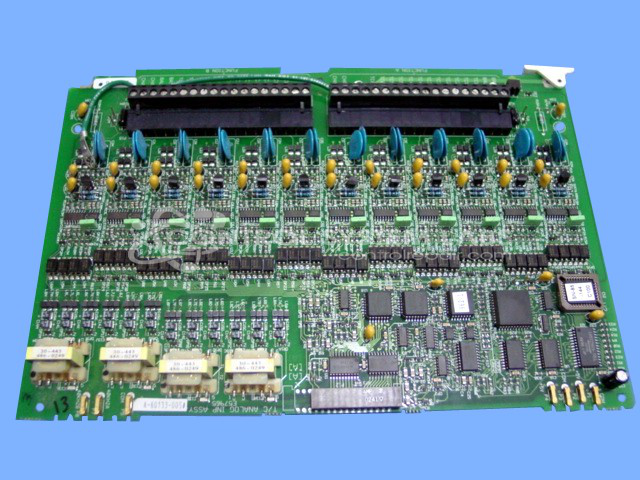
Product Overview: An analog input board for a modular temperature control system, acquiring thermocouple signals across multiple zones and converting them for the controller. Available in various channel configurations (3+9, 6+6, 3+3+3+3) set by fixed hardware. Common in industrial process and paper machinery applications.
Category: Control Board
Manufacturer: Barber-Colman
Manufacturer Synonyms: Barber Coleman, Barbercolman, Invensys
Manufacturer Part Number: A-60133
Series: MACO 6500
Brand: Barber-Colman
Also Known As(AKA): A-60133-200
Common Failures
Common symptoms observed with this product include temperature calibration data errors, non-operating units, input signal issues affecting certain temperature zones, channel accuracy concerns, and configuration-related challenges.
Repair Approach
Repairs typically involve component replacement, data correction, and recalibration as needed. When specific channel problems are identified, targeted component replacement and system recalibration are performed. Test fixtures may be developed to support evaluation and verification procedures.
Testing & Quality
Following repair, units are tested to verify functionality. Standard testing includes operational verification and confirmation that repaired functions perform as expected. Testing scope may be limited by available test equipment or unit-specific requirements.
Repair your broken Barber-Colman part
We can repair your Barber-Colman model A-60133 .
Please note: our repair turnaround time may be longer than our standard lead times for this item.
Step 1 -
Click the green button above, "Repair Now," and add to your RMA.
Step 2 -
Print the RMA form that is emailed to you, and put it in a box with the parts for repair.
Step 3 -
Mail the box to the address on the RMA.
You will be sent an authorization for repair via email. Your approval is needed before any work is started.
Once the user has seen at least one product this snippet will be visible.