


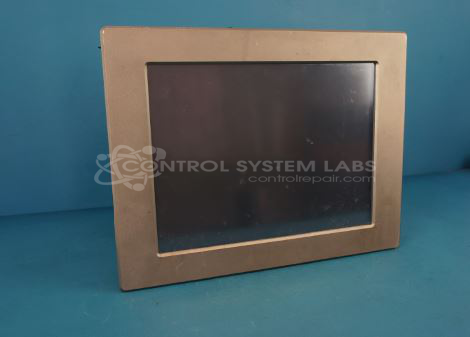
Barber-Colman DSE8-13501-300-0-10 Optima Touch PC-Based Operator Station 15 inch TFT LCD Touchscreen


Repair
Repair Price: $ 2,944.00
Purchase
CSL Part Number: 80072
Product Overview: A PC-based operator workstation featuring a 15-inch TFT LCD touchscreen with XVGA 1024x768 resolution. It provides human-machine interface and monitoring for industrial automation and process control systems, enabling operators to view data and control connected equipment through the touchscreen panel.
Category: Operator / Monitor Workstation
Manufacturer: Barber-Colman
Manufacturer Synonyms: Barber Coleman, Barbercolman, Invensys
Alternate Manufacturer Names: EUROTHERM INVENSYS
Manufacturer Part Number: DSE8-13501-300-0-10
Series: OPtima Touch PC
Brand: Barber-Colman
Other Synonyms: EUROTHERM INVENSYS
15 Inch TFT LCD touchscreen XVGA 1024x768
Common Failures
A common issue reported for this product is that the touch screen calibration becomes inaccurate after several days of use. This symptom has been noted in multiple customer reports.
Repair Approach
The typical repair involves replacing the touch screen. Replacing the touch screen has resolved the issue in past cases, though each unit is evaluated individually.
Testing & Quality
After repairs, the units undergo testing, including extended operational testing, to verify functionality and reliability. Testing is performed to confirm the resolution of the touch calibration issue.
Service and repair your broken Barber-Colman part
We can repair your Barber-Colman model DSE8-13501-300-0-10 in our facility. Let our skilled technicians get your Barber-Colman back in operation quickly.
Step 1 - Click the green 'Repair Now' button above to add the part and then complete the RMA.
Step 2 - The RMA form will be sent to you via email. Print the RMA form and put it in a box with the item(s) for repair.
Step 3 - Ship or mail the box to the address listed on the RMA.
Once the user has seen at least one product this snippet will be visible.