




Repair
Repair Price: $ 728.00
Purchase
CSL Part Number: 5975
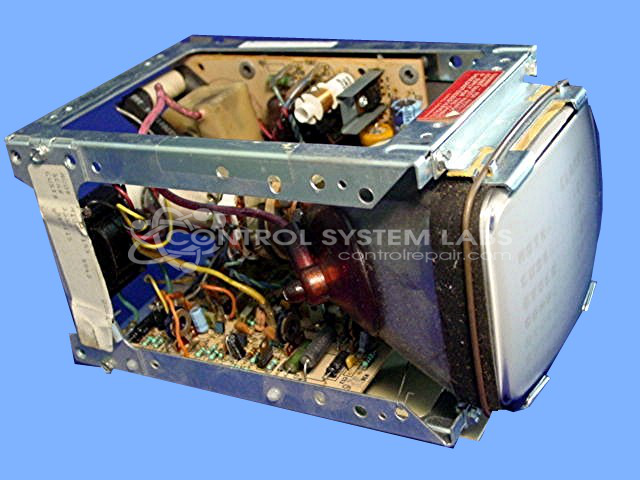
Product Overview: A 5-inch monochrome CRT monitor used in Barber-Colman MACO process control systems for paper machine and industrial automation applications. It displays operator interface characters and graphics, supporting both TTL and composite modes with adjustable horizontal, vertical, focus, and contrast controls.
Category: CRT Monitors
Manufacturer: Barber-Colman
Manufacturer Synonyms: Barber Coleman, Barbercolman, Invensys
Manufacturer Part Number: M1000-155
Series: MACO
Brand: Barber-Colman
Common Failures
Several common issues with this product have been identified, including defective CRTs, exposed flyback wires, loose yoke alignments, and focus control issues. Problems such as picture out of sync, image compressing to a line, weak or no video, and rolling images have also been frequently reported.
Repair Approach
Repairs typically involve replacing defective components such as CRTs, trim pots, and various capacitors. Attention is given to ensuring secure mounting and connections by resoldering and adjusting components like the yoke and edge connectors. Technicians also replace and adjust various potentiometers to resolve display issues.
Testing & Quality
After repairs, units undergo a burn-in process, typically ranging from a few hours to overnight, to verify reliability and functionality. Various test setups are used for validation to ensure a quality outcome.
Service and repair your broken Barber-Colman part
We can repair your Barber-Colman model M1000-155 in our facility. Let our skilled technicians get your Barber-Colman back in operation quickly.
Step 1 - Click the green 'Repair Now' button above to add the part and then complete the RMA.
Step 2 - The RMA form will be sent to you via email. Print the RMA form and put it in a box with the item(s) for repair.
Step 3 - Ship or mail the box to the address listed on the RMA.
Once the user has seen at least one product this snippet will be visible.