




Repair
Repair Price: $ 2,684.00
Purchase
CSL Part Number: 116541
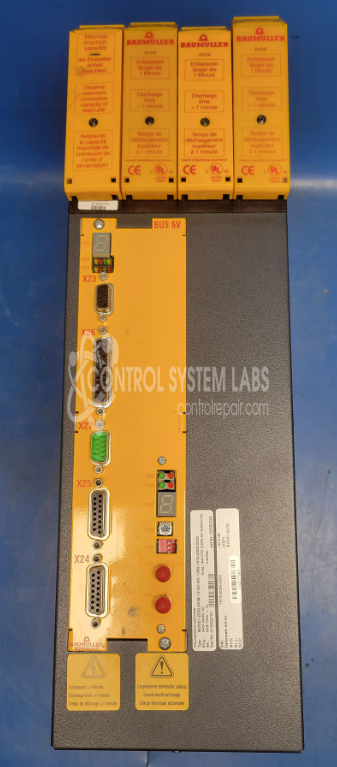
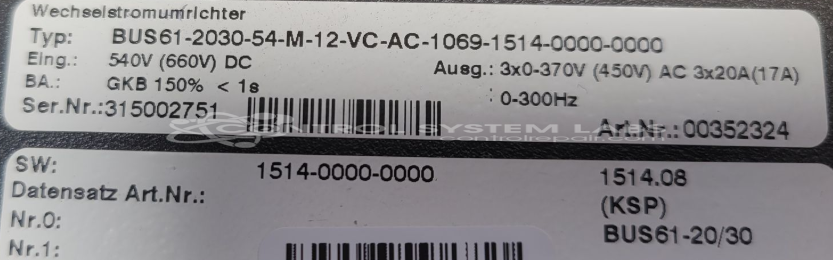
Product Overview: The Baumuller Nurnberg BUS61-2030-54-M-12 is a servo drive controller module designed to regulate and control servo motor systems in industrial automation applications. It processes command signals and delivers precise power regulation to servo motors used in CNC machines, robotics, packaging equipment, and other motion control systems. The BUS61 series features integrated IGBT-based power stages and modular electronics for flexible configuration. This module operates on AC power input and includes diagnostic capabilities with built-in error monitoring to facilitate troubleshooting in demanding industrial environments.
Category: Servo Controls
Manufacturer: Baumuller Nurnberg
Manufacturer Part Number: BUS61-2030-54-M-12
Include your servo motor / Need for final testing.
Common Failures
Error 8 is often associated with electrolytic capacitors on the IGBT board. When present, this error may indicate capacitor-related issues that can affect board operation.
Repair Approach
The repair process typically involves identifying and replacing defective electrolytic capacitors. Diagnostic testing using equipment such as Huntron and DMM helps identify failing components. Additional capacitors may be replaced as part of the repair process.
Testing & Quality
After repairs, the unit undergoes component-level testing to verify the functionality of replaced parts. Due to the limitations of the testing environment, including the absence of a matching servo motor and connection cables, full system testing cannot be performed. The customer should plan to perform final testing in their application. This repair is performed on a Time and Materials basis and is not warrantied.
Service and repair your broken Baumuller Nurnberg part
We can repair your Baumuller Nurnberg model BUS61-2030-54-M-12 in our facility. Let our skilled technicians get your Baumuller Nurnberg back in operation quickly.
Step 1 - Click the green 'Repair Now' button above to add the part and then complete the RMA.
Step 2 - The RMA form will be sent to you via email. Print the RMA form and put it in a box with the item(s) for repair.
Step 3 - Ship or mail the box to the address listed on the RMA.
Once the user has seen at least one product this snippet will be visible.