




Repair
Repair Price: $ 1,036.00
Purchase
CSL Part Number: 87673
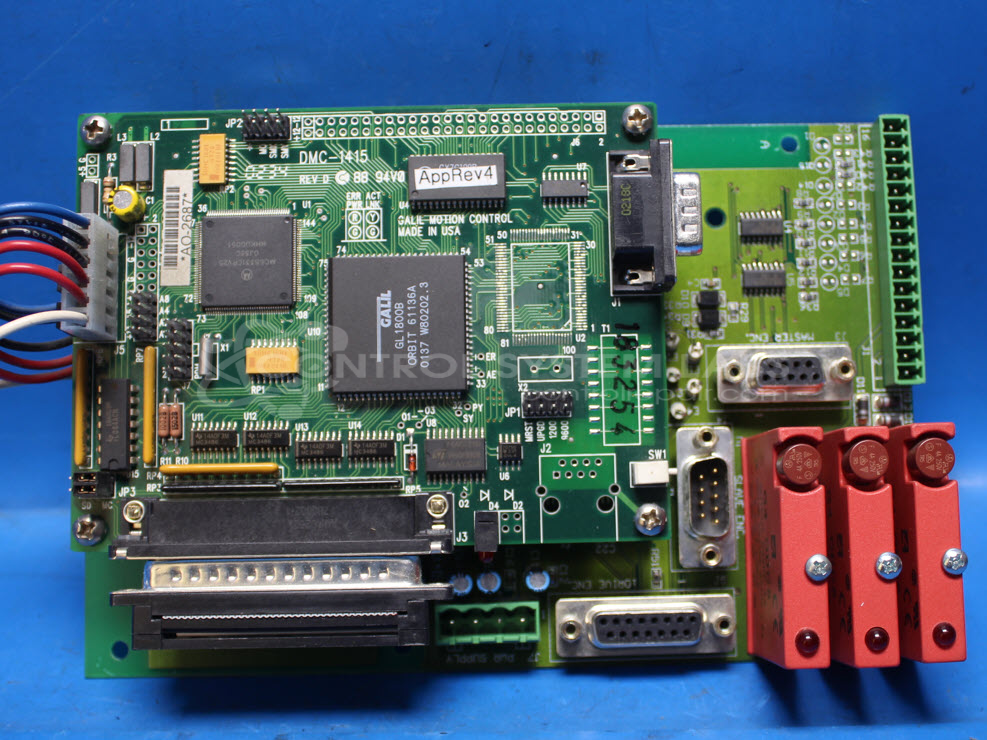
Product Overview: A motion control board that integrates a programmable multi-axis motion controller to command and coordinate servo or stepper drives in automated machinery. It executes custom motion programs for precise positioning and sequencing, commonly used in industrial automation and paper-handling equipment.
Category: Control Board
Manufacturer: Bayside Motion Group
Manufacturer Synonyms: Parker
Manufacturer Part Number: 12560000 with DMC-1415
Also Known As(AKA): Galil Motion Control
Common Failures
One frequently encountered issue with this product is a drive error, typically indicated by an error light. This symptom may point to a potential issue with the main control board program. Since these programs can be machine-specific, this may affect the repair process.
Repair Approach
The repair process typically involves verifying the problem by powering the unit and testing voltages. Due to the proprietary nature of the control board programming, we can evaluate the item and provide a quotation before any repair work begins. In some cases, a replacement board or additional information from the customer may be needed.
Testing & Quality
Standard testing includes powering up the unit and assessing voltage levels to confirm the drive error symptoms. Once the unit is received and reviewed, we can provide an update on repair feasibility and next steps.
Service and repair your broken Bayside Motion Group part
We can repair your Bayside Motion Group model 12560000 with DMC-1415 in our facility. Let our skilled technicians get your Bayside Motion Group back in operation quickly.
Step 1 - Click the green 'Repair Now' button above to add the part and then complete the RMA.
Step 2 - The RMA form will be sent to you via email. Print the RMA form and put it in a box with the item(s) for repair.
Step 3 - Ship or mail the box to the address listed on the RMA.
Once the user has seen at least one product this snippet will be visible.