




Repair
Repair Price: $ 2,116.00
Purchase
CSL Part Number: 58234
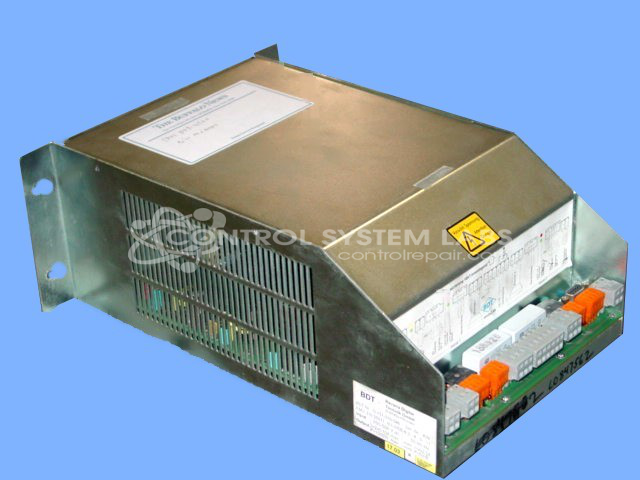
Product Overview: A two-channel electronic brake control module that regulates and actuates electromagnetic brakes and clutches in paper-handling and industrial machinery. It drives two independent output channels with adjustable voltage and current (configurable around 200V/5A), using relay-switched outputs and a regulated internal power supply.
Category: Clutch / Brake Controls
Manufacturer: BDT
Manufacturer Synonyms: Bavaria Digital Technik
Manufacturer Part Number: G.151-100-010
Also Known As(AKA): G151100010
When shipping this item use extra wrapping / bubble wrap to prevent damage during shippment.
Common Failures
Common reported symptoms included output problems, intermittent failures, units not starting, and tripping circuit breakers. Additional symptoms included unexpected actuation, burnt odors, and damaged components. Observed failure modes often involved relays, diodes, and input short circuits.
Repair Approach
Repairs typically involved component replacement, including relays, capacitors, diodes, and other electrical components. Additional work included cleaning boards and repairing burnt components. Some units were found to be Beyond Economic Repair (BER) and could not be serviced.
Testing & Quality
After repair work is completed, units are tested according to CSL procedures. Testing protocols may include burn-in testing ranging from 2 hours to 24 hours, depending on the repair performed and components replaced. Units must pass testing before being returned to service.
Service and repair your broken BDT part
We can repair your BDT model G.151-100-010 in our facility. Let our skilled technicians get your BDT back in operation quickly.
Step 1 - Click the green 'Repair Now' button above to add the part and then complete the RMA.
Step 2 - The RMA form will be sent to you via email. Print the RMA form and put it in a box with the item(s) for repair.
Step 3 - Ship or mail the box to the address listed on the RMA.
Once the user has seen at least one product this snippet will be visible.