



Repair
Repair Price: $ 1,864.00
Purchase
CSL Part Number: 75246
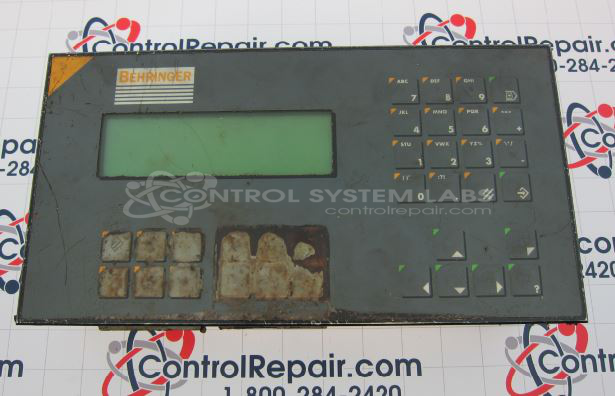
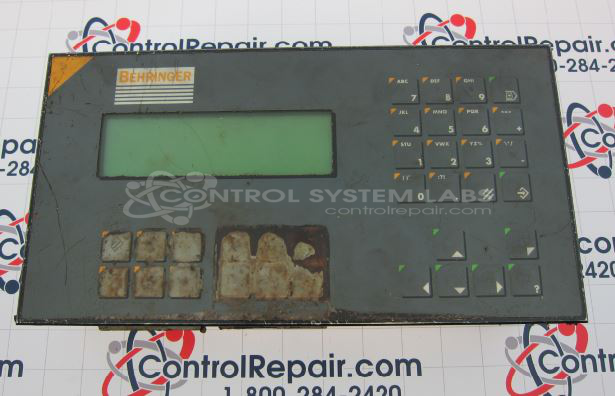
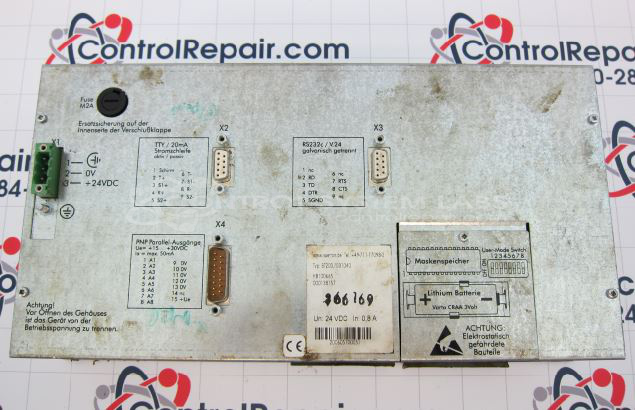
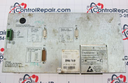
Product Overview: The BT20 Keyboard with Display is an operator interface panel combining a membrane keypad with an integrated LCD screen. It provides local control and monitoring capabilities for industrial automation systems, commonly found in paper manufacturing and process control applications. The unit features tactile switches beneath a protective overlay, a 240x64 pixel graphic LCD display, and multiple communication interfaces including RS232 and 4-20mA current loop. It contains a communication daughter board with DC-DC converters for power distribution and supports TTY output for serial communication.
Category: Operator & Control Panels
Manufacturer: Behringer
Alternate Manufacturer Names: SUTRON
Manufacturer Part Number: BT20D/031040
Series: BT20 Keyboard
Other Synonyms: SUTRON
Include the problem of the Operator Panel with the repair.
Common Failures
For this product, common issues that we evaluate include non-responsive buttons, damaged connector pins, and DC-DC converter failures. These conditions can affect button response and overall device performance.
Repair Approach
Our repair process may involve replacing defective components such as tactile switches, connectors, and DC-DC converters. Front panel buttons are often addressed due to wear or contamination. Repairs may also include LCD screen replacement or repair, connector replacement, and trace repair. The specific repair approach depends on the findings from our evaluation.
Testing & Quality
Following repair, we conduct thorough testing to verify functionality. This includes checking button responsiveness, communication via ports, and performing burn-in tests to assess reliability. Testing confirms that the unit meets operational standards before return to the customer.
Service and repair your broken Behringer part
We can repair your Behringer model BT20D/031040 in our facility. Let our skilled technicians get your Behringer back in operation quickly.
Step 1 - Click the green 'Repair Now' button above to add the part and then complete the RMA.
Step 2 - The RMA form will be sent to you via email. Print the RMA form and put it in a box with the item(s) for repair.
Step 3 - Ship or mail the box to the address listed on the RMA.
Once the user has seen at least one product this snippet will be visible.