




Repair
Repair Price: $ 1,032.00
Purchase
CSL Part Number: 84016
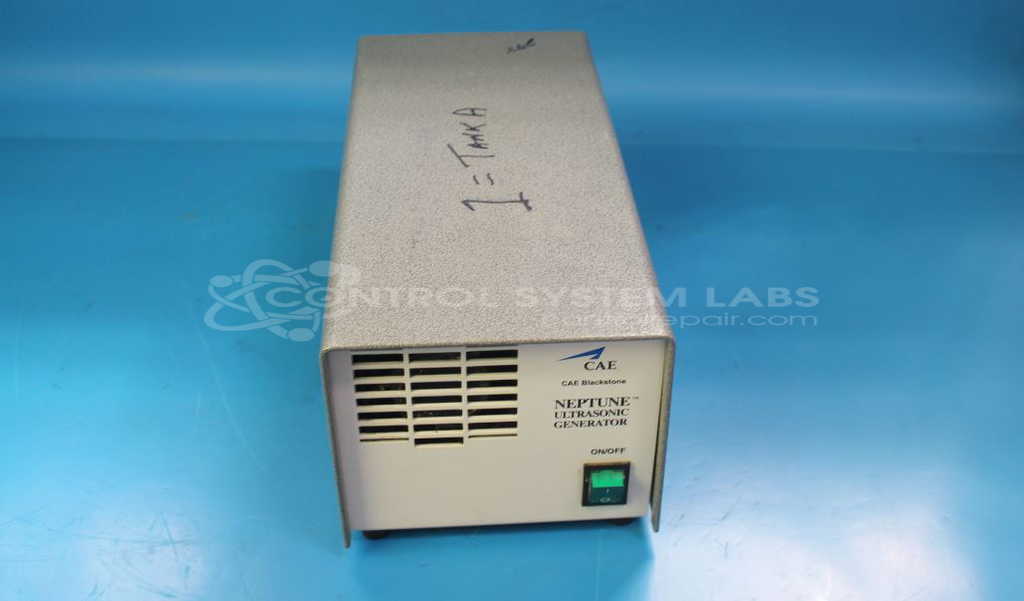
Product Overview: A 1 kW ultrasonic generator that drives transducers to produce high-frequency acoustic energy for precision ultrasonic cleaning systems. It powers immersible cleaning tanks used in industrial, medical, and electronics parts washing to remove contaminants from components. Configured for 120V operation.
Category: Ultrasonics
Manufacturer: Blackstone-NEY Ultrasonics
Manufacturer Part Number: N1000-XLC01-120-1000.24
Series: Neptune Ultrasonic Generator
Common Failures
Frequently reported issues with this product include the unit failing to start, often with a blown fuse, or the unit not operating at all.
Repair Approach
Our repair process focuses on identifying and replacing components that are found to be out of specification or contributing to failure. In cases we have evaluated, blown fuses have been traced to internal parts such as relays or transformers that were shorted or not operating within specification. Replacing these components has been effective in restoring functionality in many cases.
Testing & Quality
Following repairs, each unit undergoes verification testing to confirm operational reliability. This includes load testing and extended operation testing, typically lasting one to two hours. These tests are performed to verify that repaired units meet our quality standards before return.
Service and repair your broken Blackstone-NEY Ultrasonics part
We can repair your Blackstone-NEY Ultrasonics model N1000-XLC01-120-1000.24 in our facility. Let our skilled technicians get your Blackstone-NEY Ultrasonics back in operation quickly.
Step 1 - Click the green 'Repair Now' button above to add the part and then complete the RMA.
Step 2 - The RMA form will be sent to you via email. Print the RMA form and put it in a box with the item(s) for repair.
Step 3 - Ship or mail the box to the address listed on the RMA.
Once the user has seen at least one product this snippet will be visible.