



Repair
Repair Price: $ 984.00
Purchase
CSL Part Number: 102884
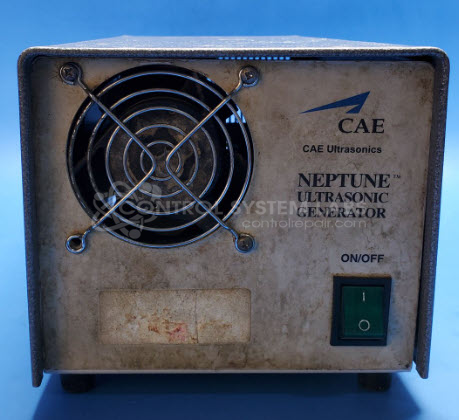
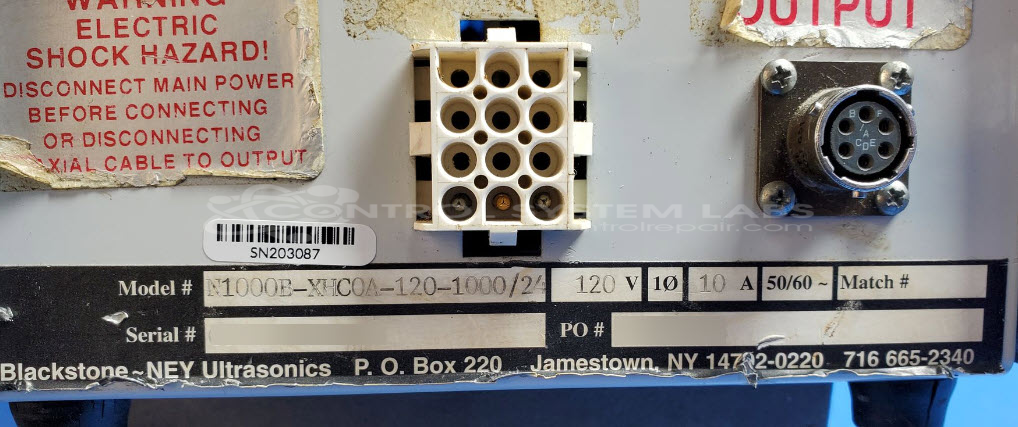
Product Overview: The Neptune Ultrasonic Generator is a 1 kW power supply designed to drive ultrasonic transducers in industrial cleaning applications. This model (N1000B-XHCOA-120-1000/24) operates on 120V AC input and provides high-frequency electrical energy to ultrasonic tanks or cleaning systems. It converts standard line power into ultrasonic frequency output, enabling cavitation for precision cleaning of parts in manufacturing, medical device processing, and laboratory environments. Part of Blackstone-NEY's Neptune series, it features solid-state IGBT-based switching for reliable frequency generation and power control.
Category: Ultrasonics
Manufacturer: Blackstone-NEY Ultrasonics
Manufacturer Part Number: N1000B-XHCOA-120-1000/24
Series: Neptune Ultrasonic Generator
Ultrasonic Generators are tested with a minimum 4-hour burn-in, under load.
Common Failures
This ultrasonic generator may experience issues where it turns on but fails to activate the associated ultrasonic washer. Potential root causes can include defective components such as transistors, integrated circuits, and gate driver ICs.
Repair Approach
Repairs typically involve replacing defective components to address operational failures. Loose wires inside the case and missing screws are also addressed to ensure proper assembly and function. Diagnostic testing is employed to identify the underlying issues.
Testing & Quality
Following repair, the equipment undergoes testing procedures. This includes a two-hour burn-in test under load conditions. All ports are tested, and the repair is reviewed by trained personnel to maintain quality standards.
Service and repair your broken Blackstone-NEY Ultrasonics part
We can repair your Blackstone-NEY Ultrasonics model N1000B-XHCOA-120-1000/24 in our facility. Let our skilled technicians get your Blackstone-NEY Ultrasonics back in operation quickly.
Step 1 - Click the green 'Repair Now' button above to add the part and then complete the RMA.
Step 2 - The RMA form will be sent to you via email. Print the RMA form and put it in a box with the item(s) for repair.
Step 3 - Ship or mail the box to the address listed on the RMA.
Once the user has seen at least one product this snippet will be visible.