




Repair
Repair Price: $ 984.00
Purchase
CSL Part Number: 119495
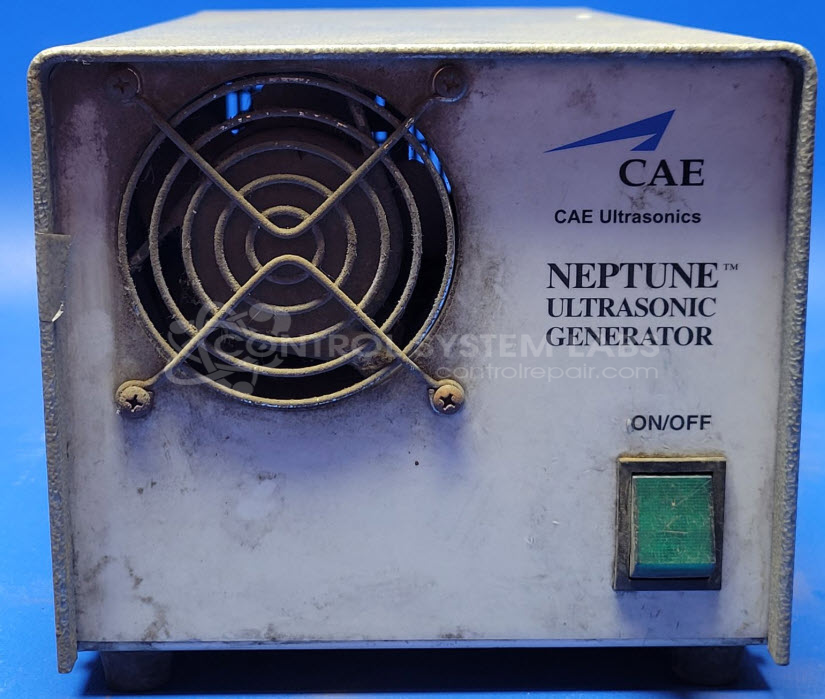
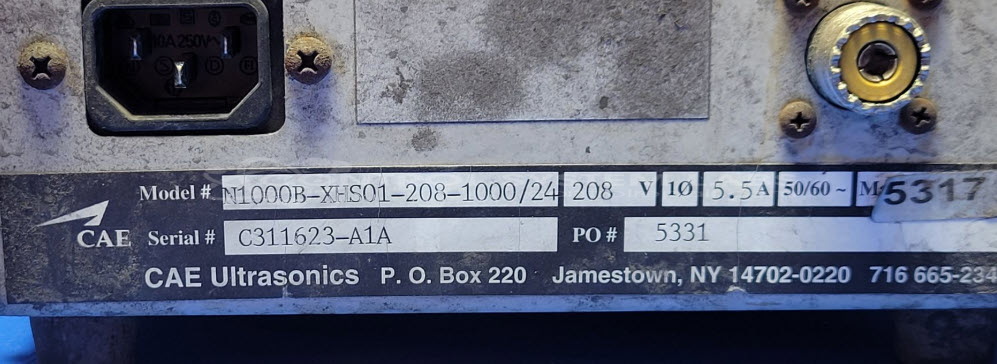
Product Overview: The Blackstone-NEY Ultrasonics Neptune Ultrasonic Generator, series N1000, model N1000B-XHS01-208-1000/24, is an industrial electronic device used to power ultrasonic transducers. With specifications of 208V and 5.5A, it is designed for applications requiring precise ultrasonic output, often found in cleaning systems and material processing. Known for its robust design, it operates optimally with factory-matched transducers for reliable performance.
Category: Ultrasonics
Manufacturer: Blackstone-NEY Ultrasonics
Manufacturer Part Number: N1000B-XHS01-208-1000/24
Series: Neptune Ultrasonic Generator
Ultrasonic Generators are tested with a minimum 4-hour burn-in, under load.
Common Failures
This product may experience issues with power function activation, fan operation due to bearing wear, and solder joint integrity on power resistors. Contamination from accumulated dirt can contribute to operational concerns.
Repair Approach
Repairs may involve replacing the inrush current limiter and fan, cleaning accumulated contamination, and resoldering joints on resistors. Capacitor replacement may also be performed when appropriate to support reliable operation.
Testing & Quality
Repaired units are tested under load and verified with appropriate test equipment to confirm proper output function. Quality checks are conducted by our technicians to ensure a thorough evaluation.
Service and repair your broken Blackstone-NEY Ultrasonics part
We can repair your Blackstone-NEY Ultrasonics model N1000B-XHS01-208-1000/24 in our facility. Let our skilled technicians get your Blackstone-NEY Ultrasonics back in operation quickly.
Step 1 - Click the green 'Repair Now' button above to add the part and then complete the RMA.
Step 2 - The RMA form will be sent to you via email. Print the RMA form and put it in a box with the item(s) for repair.
Step 3 - Ship or mail the box to the address listed on the RMA.
Once the user has seen at least one product this snippet will be visible.