




Repair
Repair Price: $ 640.00
Purchase
CSL Part Number: 117116
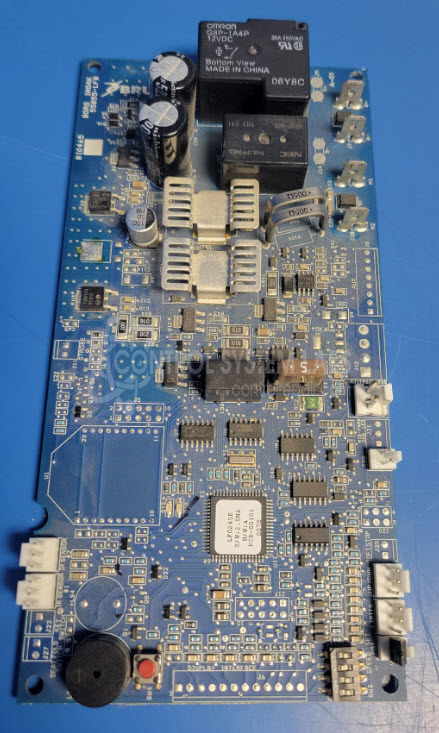
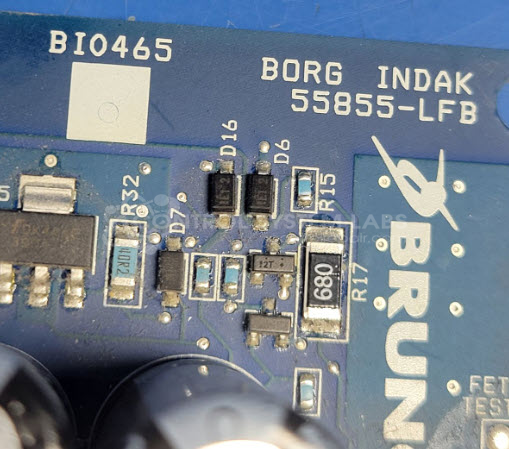
Product Overview: The Bruno 55855-LFB (also manufactured as Borg Indak BI0465) is a control board designed for the SRE-2750 Electra Ride LT chairlift system. It manages motor direction control, limit switch monitoring, and brake operation for residential stairlift installations. The board operates on 24V DC and includes onboard fuses, MOSFETs for motor control, and electrolytic capacitors for power filtering. It interfaces with infrared sensors, limit switches, and the lift motor to provide safe, bidirectional chairlift operation.
Category: Control Board
Manufacturer: Bruno
Alternate Manufacturer Names: Borg Indak
Manufacturer Part Number: 55855-LFB
Also Known As(AKA): BI0465
Other Synonyms: Borg Indak
Please include wiring diagrams with the board.
Common Failures
The Bruno SRE-2750 control board may experience issues such as blown fuses, faulty MOSFETs, and damaged electrolytic capacitors. These failures can lead to symptoms such as the unit not powering up or the control chair being non-operational.
Repair Approach
Repairs involve diagnostic testing to identify defective components. Common procedures include replacing blown fuses, MOSFETs, and electrolytic capacitors. Once faulty parts are replaced, the control board is tested to verify operation.
Testing & Quality
After component replacement, testing is conducted to verify functionality. This includes burn-in tests involving motor operation in both directions to confirm control functionality. Additional checks, such as verifying limit switch operation, are performed to ensure reliable performance.
Service and repair your broken Bruno part
We can repair your Bruno model 55855-LFB in our facility. Let our skilled technicians get your Bruno back in operation quickly.
Step 1 - Click the green 'Repair Now' button above to add the part and then complete the RMA.
Step 2 - The RMA form will be sent to you via email. Print the RMA form and put it in a box with the item(s) for repair.
Step 3 - Ship or mail the box to the address listed on the RMA.
Once the user has seen at least one product this snippet will be visible.