




Repair
Repair Price: $ 1,596.00
Purchase
CSL Part Number: 86356
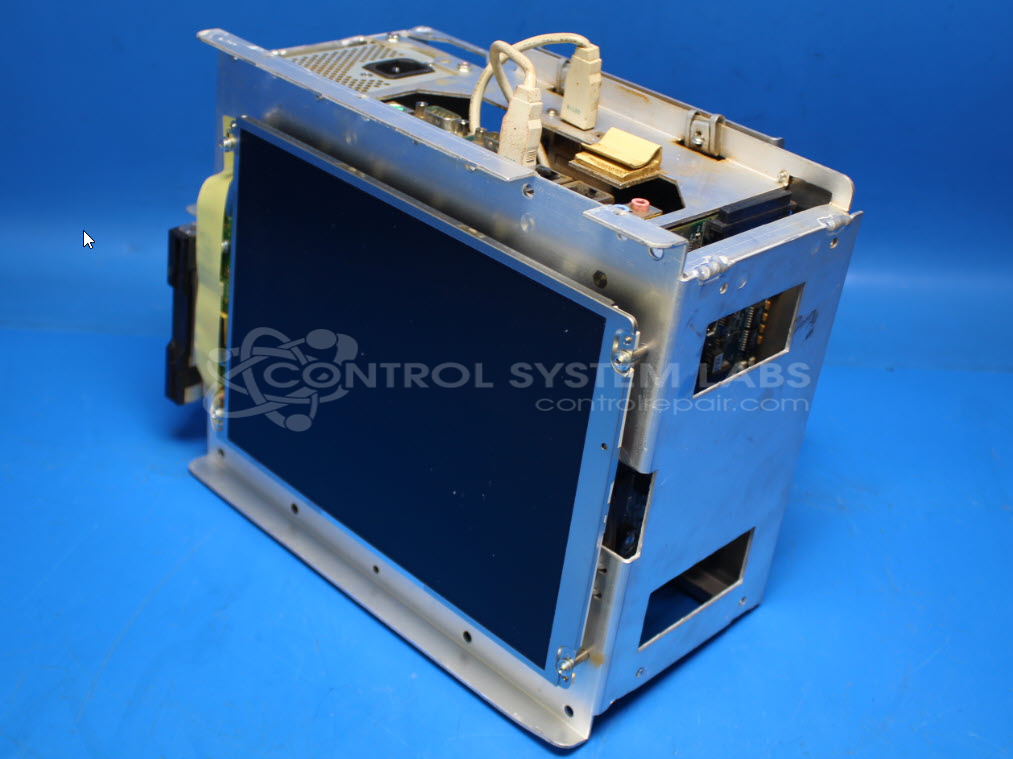
Product Overview: An integrated OEM industrial computer with built-in display, combining processing and an operator interface for CNC cutting control. Features an LCD touchscreen and runs embedded runtime software, commonly used in plasma and oxyfuel shape-cutting machines for motion control and operator input.
Category: Display
Manufacturer: Burny/Phantom
Alternate Manufacturer Names: Cleveland Motion Controls
Manufacturer Part Number: RTX Runtime
Also Known As(AKA): Cleveland Motion Controls
Other Synonyms: Cleveland Motion Controls
Common Failures
Common issues reported with this product include intermittent dimming in the screen's upper left corner while the rest of the unit continues to function, as well as units that fail to start.
Repair Approach
For the screen dimming issue, the repair process involved converting the CCFL backlight to an LED backlight and replacing the touchscreen with mouse input to improve reliability. These adjustments were verified through testing, including an overnight burn-in test.
For units that failed to start, the issue was traced to a failed CMOS battery. Replacing the battery, configuring the CMOS data, and setting the display resolution resolved the start-up issue. The test procedure was updated to help prevent future occurrences.
Repair your broken Burny/Phantom part
We can repair your Burny/Phantom model RTX Runtime .
Please note: our repair turnaround time may be longer than our standard lead times for this item.
Step 1 -
Click the green button above, "Repair Now," and add to your RMA.
Step 2 -
Print the RMA form that is emailed to you, and put it in a box with the parts for repair.
Step 3 -
Mail the box to the address on the RMA.
You will be sent an authorization for repair via email. Your approval is needed before any work is started.
Once the user has seen at least one product this snippet will be visible.