


Butler DC29694-501 80 "SE" Front Panel Board
Repair
Repair Price: $ 750.00
Purchase
CSL Part Number: 106746
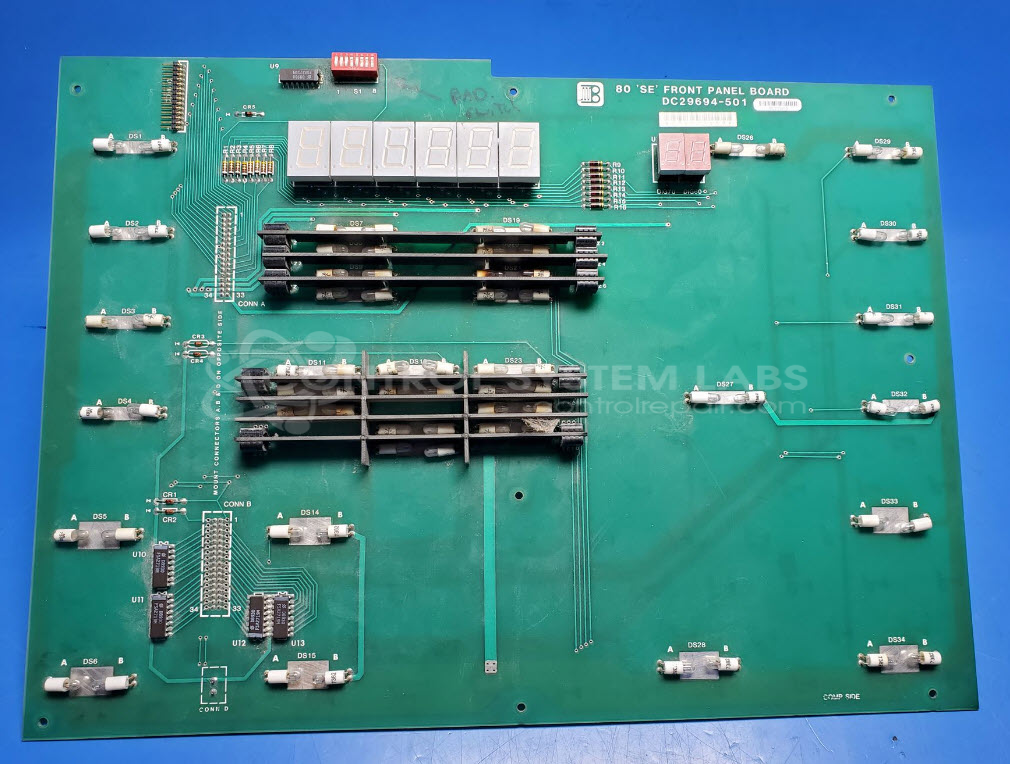
Product Overview: The 80 "SE" Front Panel Board is a user interface control board for the Butler 6000 series splicer system, including the 650LD6 model. It manages keypad button inputs, drives 7-segment LED displays for operator feedback, and controls indicator lamps. The board interfaces with the main control board through multiple connectors, receiving display data and power while sending user commands. It features removable bulbs for easy maintenance, DIP switches for configuration, and multiple display segments for status indication in film or tape splicing equipment.
Category: Control Board
Manufacturer: Butler
Manufacturer Synonyms: Butler Automatic
Manufacturer Part Number: DC29694-501
Also Known As(AKA): Butler 6000 Splicer board, 650LD6 Front board
Please include detailed problem/symptoms description
Common Failures
Common issues observed include erratically flashing LEDs on the input board, burned-out or browned lamps, corrosion on component leads, and cracked or broken components affecting functionality.
Repair Approach
Defective components, including bulbs and switches, are replaced as needed. Corrosion is addressed where identified. In some cases, component substitutions may be made to ensure proper fit and function. Lamps are designed to be removable to facilitate replacement and testing.
Testing & Quality
Diagnostic testing identifies faulty components for replacement. Units are tested after repair to confirm restored functionality.
Service and repair your broken Butler part
We can repair your Butler model DC29694-501 in our facility. Let our skilled technicians get your Butler back in operation quickly.
Step 1 - Click the green 'Repair Now' button above to add the part and then complete the RMA.
Step 2 - The RMA form will be sent to you via email. Print the RMA form and put it in a box with the item(s) for repair.
Step 3 - Ship or mail the box to the address listed on the RMA.
Once the user has seen at least one product this snippet will be visible.