




Repair
Repair Price: $ 3,016.00
Purchase
CSL Part Number: 81070
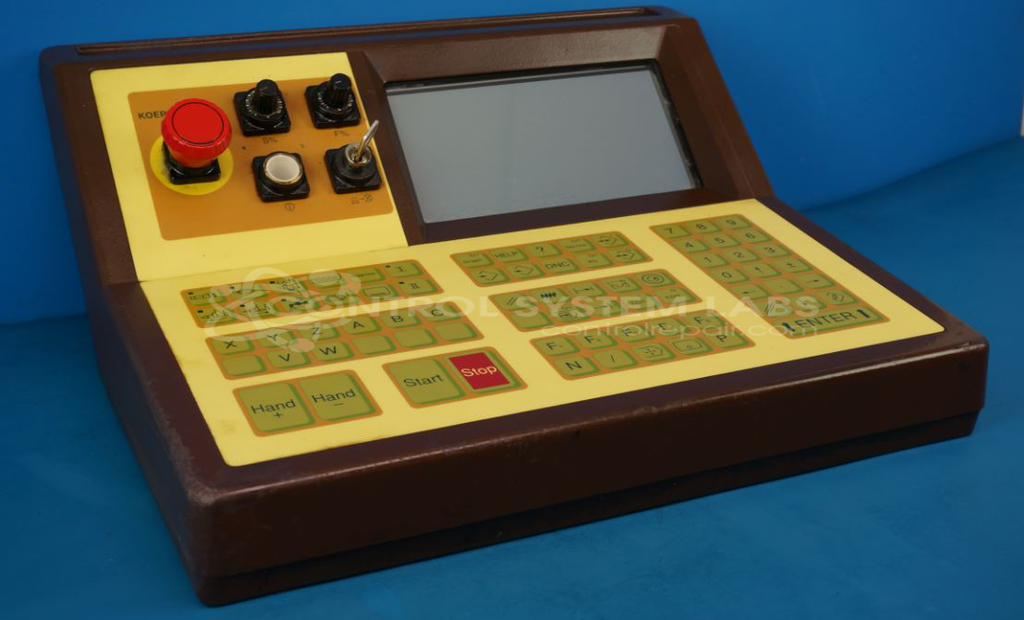
Product Overview: A CNC control panel with integrated display used as the operator interface on CNC machine tools and automated production equipment. It handles machine control inputs, status display, and alarm/E-stop monitoring, communicating via TTY (current loop) interface and powered by a backup battery for memory retention.
Category: Control Panel
Manufacturer: BWO-Elektronik GMBH
Manufacturer Part Number: CNC785
Also Known As(AKA): 81295
Common Failures
Common issues reported by customers include loose connections, intermittent problems when pressure is applied to the board, alarm errors, control disconnect errors, and errors without a stated problem.
Repair Approach
Repairs may involve cleaning and securing components, replacing backup batteries, replacing components such as TTY optos and inductors, and reflowing solder joints at connectors to address loose connection issues. Schematics may be partially drafted to aid in diagnostics when needed.
Testing & Quality
After repairs, units undergo testing, including extended burn-in periods and verification checks. Testing procedures are designed to confirm functional integrity post-repair, though we may not always be able to replicate the specific conditions under which the customer experienced the original issue.
Service and repair your broken BWO-Elektronik GMBH part
We can repair your BWO-Elektronik GMBH model CNC785 in our facility. Let our skilled technicians get your BWO-Elektronik GMBH back in operation quickly.
Step 1 - Click the green 'Repair Now' button above to add the part and then complete the RMA.
Step 2 - The RMA form will be sent to you via email. Print the RMA form and put it in a box with the item(s) for repair.
Step 3 - Ship or mail the box to the address listed on the RMA.
Once the user has seen at least one product this snippet will be visible.