




Repair
Repair Price: $ 788.00
Purchase
CSL Part Number: 81224
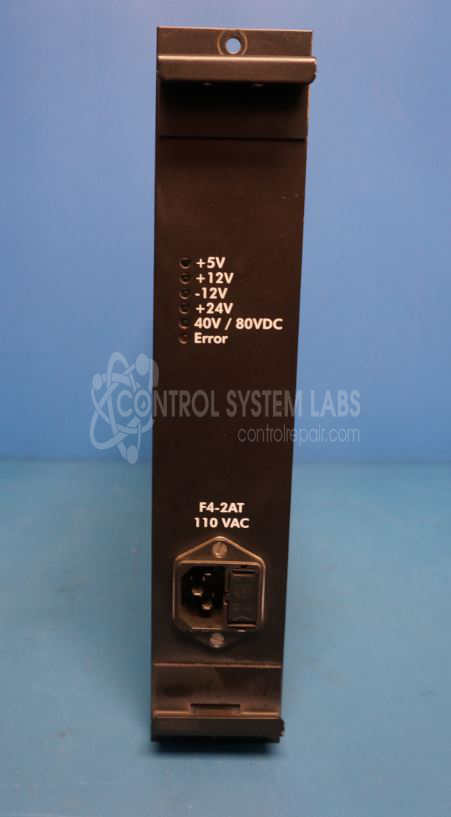
Product Overview: A multi-output control board integrated with a quad-output switching power supply, delivering +5V, +12V, -12V, +24V plus a 40/80V section at 110-150W. Used in wire EDM machines to supply regulated power and distribute control signals, with status LEDs indicating per-rail output health.
Category: Power Supply
Manufacturer: Charmilles Technologies
Manufacturer Part Number: 8568530 [LPQ152]
Common Failures
Customers have reported issues such as power supply not turning on, RED error LED indication, and no voltage output for certain sections. Common failures identified include bad or open capacitors, and issues with power supply stability.
Repair Approach
Repairs frequently involve replacing failed capacitors and stabilizing the power supply to restore functionality. Technicians perform thorough inspections using specialized equipment to diagnose and address issues with both main and attached boards. Where possible, preventative maintenance is conducted by replacing components that show out-of-spec behavior even if they have not yet failed.
Testing & Quality
After repairs, power supplies are tested under load conditions, typically over several hours, to ensure stability and proper operation. The outputs are verified for expected voltages, and components are checked with high precision tools like Huntron and Digital Multimeters (DMM) to confirm proper operation before units are returned to customers.
Service and repair your broken Charmilles Technologies part
We can repair your Charmilles Technologies model 8568530 [LPQ152] in our facility. Let our skilled technicians get your Charmilles Technologies back in operation quickly.
Step 1 - Click the green 'Repair Now' button above to add the part and then complete the RMA.
Step 2 - The RMA form will be sent to you via email. Print the RMA form and put it in a box with the item(s) for repair.
Step 3 - Ship or mail the box to the address listed on the RMA.
Once the user has seen at least one product this snippet will be visible.