


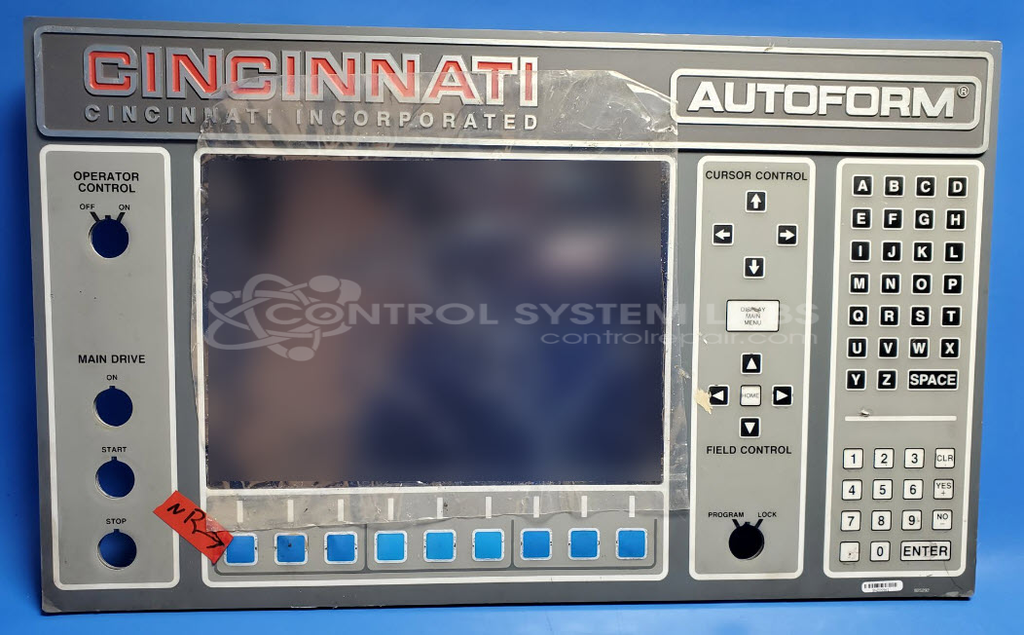
Cincinnati Inc. 825292 Autoform Panel with Membrane Keyboard Overlay No Electronics
Repair
Call for price
Purchase
CSL Part Number: 106179
Product Overview: The Autoform Panel with Membrane Keyboard Overlay is an operator interface component manufactured by Cincinnati Inc. for their Autoform press brake systems. This panel serves as the primary control interface, allowing operators to input commands and monitor machine functions during metal bending and forming operations. The membrane keyboard overlay provides tactile button feedback for programming bend sequences, adjusting parameters, and controlling press brake movements. It is designed to withstand the industrial environment of sheet metal fabrication shops where press brakes are used for precision bending of various metal materials.
Category: Operator Interface
Manufacturer: Cincinnati Inc.
Manufacturer Part Number: 825292
Series: Autoform Panel
Contact us for replacement overlay
Common Failures
Some units may experience issues with button responsiveness. Specifically, up to three buttons may require additional pressure to activate properly.
Repair Approach
We can evaluate the unit to determine the appropriate repair. If button responsiveness is confirmed as the issue, the typical repair involves replacing the overlay to restore proper button function.
Limited Repair
The Cincinnati Inc. part number is only available as a limited repair at our facility. Repairs to this item may be limited due to several reasons:
- Availability of parts
- Less than 100% test ability due to required support equipment
To have us attempt a repair on your Cincinnati Inc. part follow these steps:
Step 1 -
Click the Repair Now button above to add the part and complete the RMA form.
Step 2 -
Print the RMA form that is sent to your email, and put it in the box with the parts for repair.
Step 3 -
Mail the box to the address on the RMA.
After we receive your item, we will perform an inspection and an authorization to repair will be sent for your approval. Work will begin after your authorization is received.
Once the user has seen at least one product this snippet will be visible.