




Repair
Repair Price: $ 956.00
Purchase
CSL Part Number: 107059
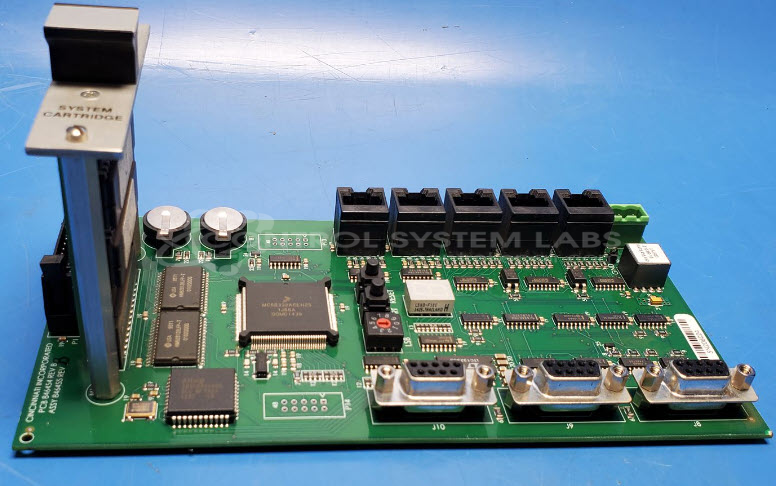
Product Overview: The CB II Processor Board with Memory and Program is the main control board for Cincinnati Inc. CB II series press brakes. It manages machine operation, executes stored programs, and communicates with the human-machine interface (HMI). This board includes onboard memory chips containing critical machine programs and battery-backed RAM for data retention. It is essential for controlling bending operations, axis positioning, and operator interface functions in Cincinnati press brake systems.
Category: Control Board
Manufacturer: Cincinnati Inc.
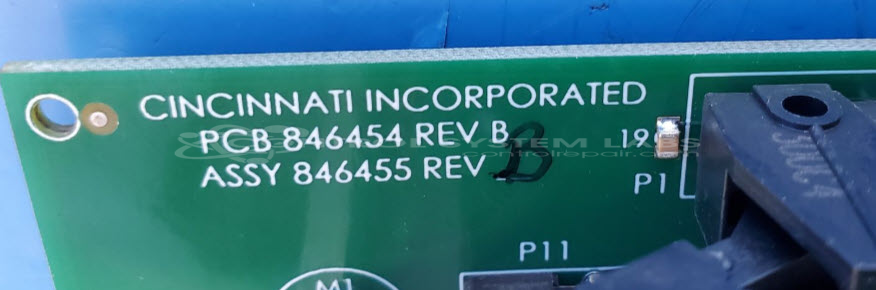
Manufacturer Part Number: 846455 REV B / 840035 Rev A
Series: CB II Press Brake
Please include the system cartridge, operator panel with attached boards and cables when sending in.
Common Failures
This product may experience issues related to the power source, such as batteries operating at lower than expected voltages. While the unit can power up correctly and communicate with the Human-Machine Interface (HMI), ensuring the battery voltage is above the minimum threshold is important for proper operation.
Repair Approach
If battery voltage issues are identified during evaluation, replacement or recharging of batteries may be necessary. We maintain safe backup of programming data, including memory chips, to support the repair process. If no immediate damage is detected, further diagnostics may be required to identify the specific issue.
Testing & Quality
Units undergo a series of tests, including communication checks with the HMI and burn-in tests under load conditions. Successful testing indicates that no faults were detected during evaluation.
Service and repair your broken Cincinnati Inc. part
We can repair your Cincinnati Inc. model 846455 REV B / 840035 Rev A in our facility. Let our skilled technicians get your Cincinnati Inc. back in operation quickly.
Step 1 - Click the green 'Repair Now' button above to add the part and then complete the RMA.
Step 2 - The RMA form will be sent to you via email. Print the RMA form and put it in a box with the item(s) for repair.
Step 3 - Ship or mail the box to the address listed on the RMA.
Once the user has seen at least one product this snippet will be visible.