




Repair
Repair Price: $ 3,992.00
Purchase
CSL Part Number: 67101
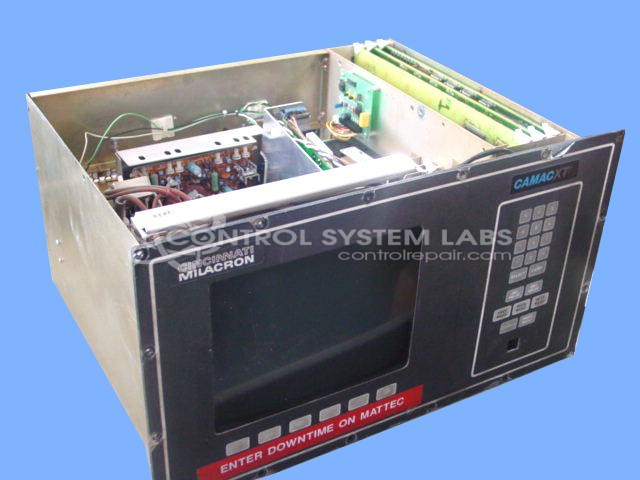
Product Overview: An operator workstation featuring an amber CRT monitor, used as the human-machine interface for industrial machine control systems. It displays machine status and operator data, and is commonly integrated into CNC and automated manufacturing equipment.
Category: Operator / Monitor Workstation
Manufacturer: Cincinnati Milacron
Manufacturer Part Number: 1-288-0028
Also Known As(AKA): CAMAC XTA
Repair is for the complete XTA Work Station/ CRT's are less money.
Common Failures
Common issues reported include power-related concerns such as the unit not powering on or failing to boot, with intermittent display of a single line on the screen. Video display problems have also been noted, including unreadable displays and issues associated with degraded solder connections.
Repair Approach
Typical repairs have included replacement of failed electrolytic capacitors, resoldering of poor connections, and CRT rejuvenation to restore display functionality. Cleaning of the CRT and screen has also been performed to improve visual clarity.
Testing & Quality
Testing procedures include an extended burn-in period to evaluate repair stability and performance. Units may be received for evaluation and testing to support troubleshooting of operational concerns.
Service and repair your broken Cincinnati Milacron part
We can repair your Cincinnati Milacron model 1-288-0028 in our facility. Let our skilled technicians get your Cincinnati Milacron back in operation quickly.
Step 1 - Click the green 'Repair Now' button above to add the part and then complete the RMA.
Step 2 - The RMA form will be sent to you via email. Print the RMA form and put it in a box with the item(s) for repair.
Step 3 - Ship or mail the box to the address listed on the RMA.
Once the user has seen at least one product this snippet will be visible.