




Repair
Repair Price: $ 3,488.00
Purchase
CSL Part Number: 49636
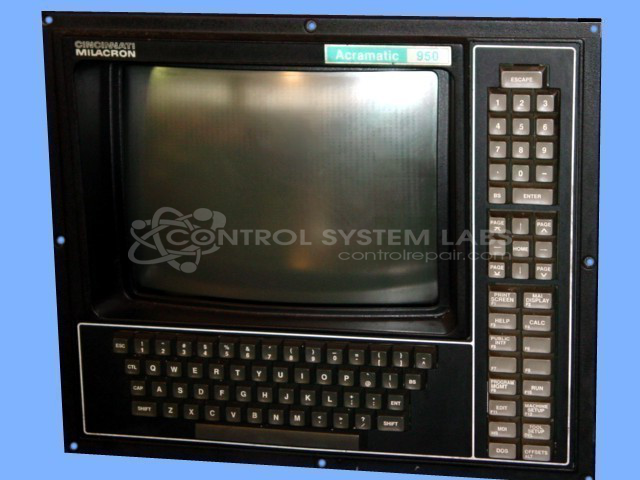
Product Overview: An operator workstation combining a 13-inch CRT display with an integrated touchscreen and keyboard for machine tool control. It serves as the human-machine interface for CNC systems, enabling operators to monitor and input commands on industrial machining equipment.
Category: Operator / Monitor Workstation
Manufacturer: Cincinnati Milacron
Manufacturer Part Number: 3-424-2026A
Also Known As(AKA): 34242026A
Common Failures
Frequently reported issues for this product include a lack of video output, with the screen remaining blank or taking time to display properly. Additionally, users have experienced difficulties with the keyboard, such as sticky keys or missing keys, as well as non-responsive touch screens.
Repair Approach
Typical repairs have involved addressing physical damage, such as cracked boards and broken connectors, as well as cleaning or replacing controls. When components are repairable, such as CRT boards and connections, repairs are conducted to restore functionality.
Testing & Quality
After repairs, components undergo extended burn-in testing to verify reliability. Testing includes checking repaired areas to confirm restored performance, although full functionality testing (e.g., keyboard, touchscreen) may not always be feasible.
Service and repair your broken Cincinnati Milacron part
We can repair your Cincinnati Milacron model 3-424-2026A in our facility. Let our skilled technicians get your Cincinnati Milacron back in operation quickly.
Step 1 - Click the green 'Repair Now' button above to add the part and then complete the RMA.
Step 2 - The RMA form will be sent to you via email. Print the RMA form and put it in a box with the item(s) for repair.
Step 3 - Ship or mail the box to the address listed on the RMA.
Once the user has seen at least one product this snippet will be visible.