




Repair
Repair Price: $ 3,000.00
Purchase
CSL Part Number: 72280
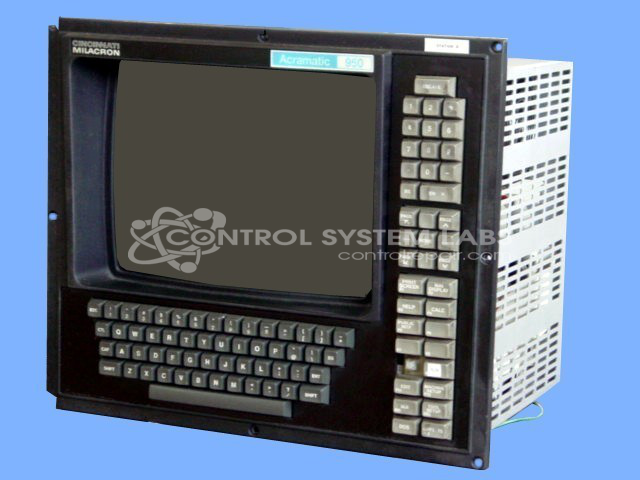
Product Overview: An operator interface workstation for CNC machine tools, integrating a CRT display, keyboard, and touch screen to provide machine control and monitoring. It outputs via COM port and supports 640 x 480 resolution at 60Hz with digital sync, used on industrial machining equipment.
Category: Operator / Monitor Workstation
Manufacturer: Cincinnati Milacron
Manufacturer Part Number: 3-424-2045A01
Also Known As(AKA): TYZ:34242026A01 new#
Common Failures
This product may experience control problems related to corrosion on the underside of the video PCB. Additional issues can include raster instability caused by capacitor failures in the 5V supply, which may lead to an unstable overcurrent condition.
Repair Approach
Repairs typically involve cleaning and removing corrosion from critical areas to restore functionality. Unstable displays are addressed by adjusting screen settings, and stability is improved by replacing faulty capacitors as needed. Mechanical issues, such as a sticking space bar, are also resolved during the repair process when identified.
Testing & Quality
Following repair, the keyboard and touch screen outputs are verified at the communication port to confirm proper function. Units undergo a thorough burn-in test at different resolutions and refresh rates to evaluate stability and reliability.
Service and repair your broken Cincinnati Milacron part
We can repair your Cincinnati Milacron model 3-424-2045A01 in our facility. Let our skilled technicians get your Cincinnati Milacron back in operation quickly.
Step 1 - Click the green 'Repair Now' button above to add the part and then complete the RMA.
Step 2 - The RMA form will be sent to you via email. Print the RMA form and put it in a box with the item(s) for repair.
Step 3 - Ship or mail the box to the address listed on the RMA.
Once the user has seen at least one product this snippet will be visible.