




Repair
Call for price
Purchase
CSL Part Number: 67910
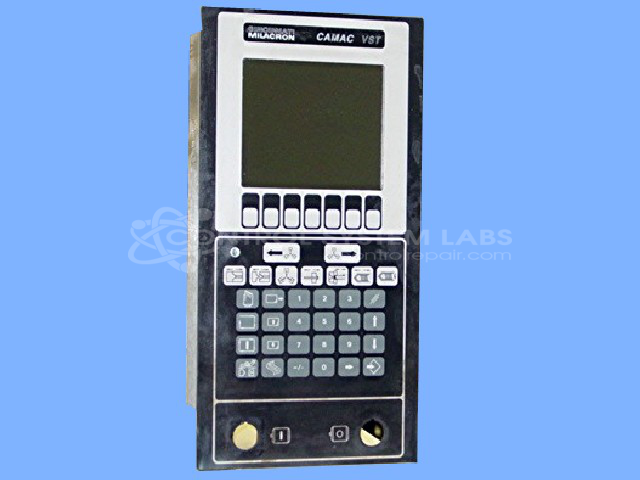
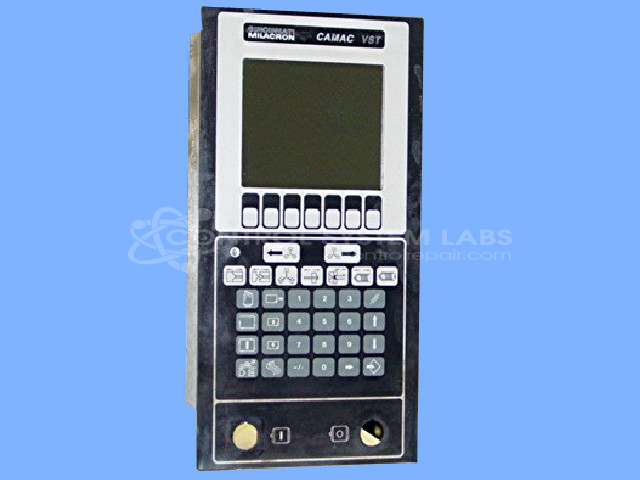
Product Overview: The Camac VST Operator Station is a human-machine interface designed for Cincinnati Milacron's CAMAC control systems. It provides operators with visual feedback and control capabilities for industrial machinery, typically found in plastics processing equipment such as injection molding machines and blow molding systems. The unit features an LCD display with adjustable backlight and an integrated keypad for parameter entry and system monitoring. As an operator workstation, it communicates with the main CAMAC controller to display machine status, alarm conditions, and process variables while allowing manual intervention and setpoint adjustments during production operations.
Category: Operator / Monitor Workstation
Manufacturer: Cincinnati Milacron
Manufacturer Part Number: 3 424 2047A
Series: CAMAC
Also Known As(AKA): 3-424-2047A
Requires sending in for repair quote.
Common Failures
One known issue is intermittent functioning of the screen's backlight.
Repair Approach
A common repair approach for the backlight issue involves converting the backlight system from the original configuration to a dimmable LED setup. This conversion can provide more stable backlight performance.
Testing & Quality
Post-repair, comprehensive testing is conducted to verify functionality, including LCD contrast voltage, backlight performance with varying input levels, and overall device operation.
Repair your broken Cincinnati Milacron part
We can repair your Cincinnati Milacron model 3 424 2047A .
Please note: our repair turnaround time may be longer than our standard lead times for this item.
Step 1 -
Click the green button above, "Repair Now," and add to your RMA.
Step 2 -
Print the RMA form that is emailed to you, and put it in a box with the parts for repair.
Step 3 -
Mail the box to the address on the RMA.
You will be sent an authorization for repair via email. Your approval is needed before any work is started.
Once the user has seen at least one product this snippet will be visible.