




Repair
Call for price
Purchase
CSL Part Number: 74374
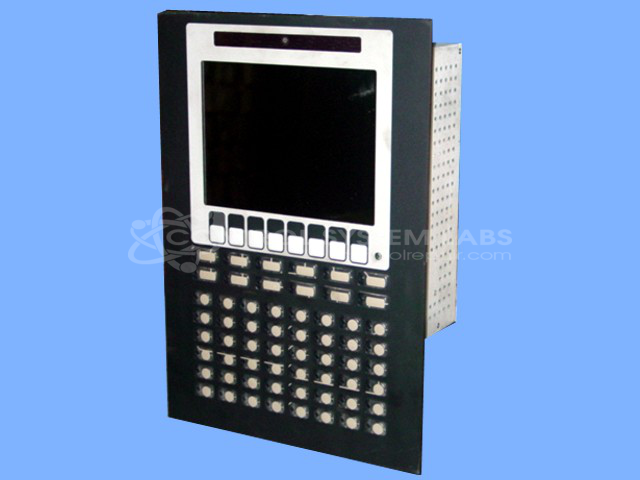
Product Overview: An industrial operator station serving as the human-machine interface for CNC machine tools and controllers. It features an LCD display with backlight, membrane keypad with touch buttons, onboard 5V and 12V DC converters, hard drive, external floppy drive, and battery-backed memory for machine operation and program control.
Category: Operator & Control Panels
Manufacturer: Cincinnati Milacron
Manufacturer Part Number: 3-424-2319-A03
Series: Xtreem Controller
Common Failures
This product has encountered issues including physical damage to the front frame, display problems, and units that do not power on. Display issues may be related to backlight inverter failure, power supply board components, or video display problems.
Repair Approach
The repair process may involve replacing components such as converters, fans, inverters, displays, and capacitors. For display and power-on issues, we evaluate and address power supply components as needed. Our technicians assess each unit individually to determine the appropriate repair approach.
Testing & Quality
Following repair, we perform comprehensive testing to verify functionality. This includes checking displays, input devices, and power supply operation. Units undergo burn-in testing to verify stability before being returned to service.
Service and repair your broken Cincinnati Milacron part
We can repair your Cincinnati Milacron model 3-424-2319-A03 in our facility. Let our skilled technicians get your Cincinnati Milacron back in operation quickly.
Step 1 - Click the green 'Repair Now' button above to add the part and then complete the RMA.
Step 2 - The RMA form will be sent to you via email. Print the RMA form and put it in a box with the item(s) for repair.
Step 3 - Ship or mail the box to the address listed on the RMA.
Once the user has seen at least one product this snippet will be visible.