




Repair
Call for price
Purchase
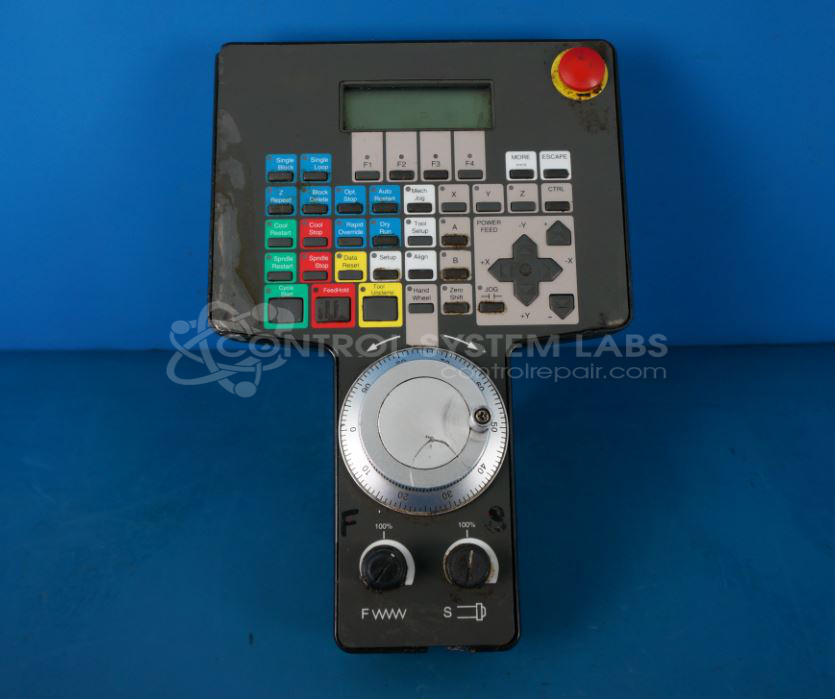
CSL Part Number: 81757
Category: Pendant
Manufacturer: Cincinnati Milacron
Alternate Manufacturer Names: Siemens
Manufacturer Part Number: 3-424-2326A
Also Known As(AKA): 3-542-1336A
Other Synonyms: Siemens
Send in for free evaluation
Common Failures
Common issues with the pendant include inconsistent booting, screen not starting or appearing completely black, and connectivity problems. These can lead to spindle and feed override malfunctions. Additionally, poor connections in components such as the RS485 chip and out-of-adjustment contrast potentiometers can contribute to these problems.
Repair Approach
Repairs often involve replacing faulty components such as ICs, screens, and drivers. For screen issues, adjustments to the contrast potentiometer may be required. In some cases, a zebra connector bypass is performed to correct display issues. Thorough cleaning of units and adjusting internal settings are also part of the repair process.
Testing & Quality
After repairs, testing is conducted to verify that button functions and character displays are operational. Quality assurance steps are taken to confirm that repairs have addressed the issues observed during evaluation. Additional labels and documentation may be provided to assist with proper adjustment of settings such as contrast.
Service and repair your broken Cincinnati Milacron part
We can repair your Cincinnati Milacron model 3-424-2326A in our facility. Let our skilled technicians get your Cincinnati Milacron back in operation quickly.
Step 1 - Click the green 'Repair Now' button above to add the part and then complete the RMA.
Step 2 - The RMA form will be sent to you via email. Print the RMA form and put it in a box with the item(s) for repair.
Step 3 - Ship or mail the box to the address listed on the RMA.
Once the user has seen at least one product this snippet will be visible.