




Repair
Repair Price: $ 428.00
Purchase
CSL Part Number: 861
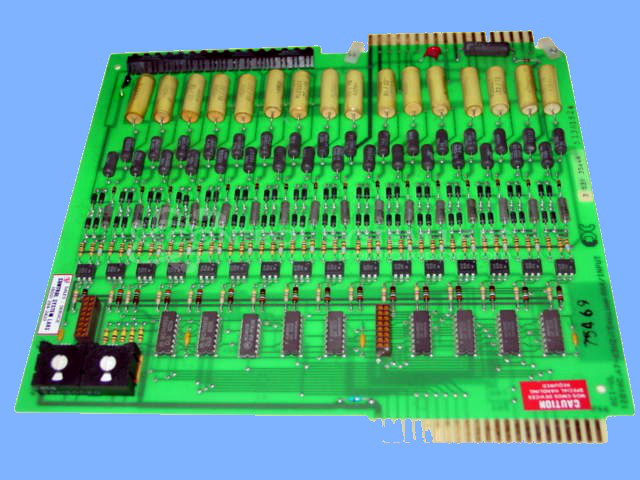
Product Overview: An AC input interface board that conditions and converts 120 VAC field signals into optically isolated logic-level inputs for industrial control systems. Used in CNC machine tools and automation controls, it features multiple addressable input channels with optocoupler isolation for reliable signal processing.
Category: Control Board
Manufacturer: Cincinnati Milacron
Manufacturer Part Number: 3-531-3564A
Also Known As(AKA): 3 531 3564A
Common Failures
This product has experienced issues with inoperative input circuits and failed resistors. Specific symptoms include failures in various input circuits and inoperative inputs. Replacement of resistors and opto-couplers has been documented as part of the repair process.
Repair Approach
Our repair approach typically involves replacing faulty components, such as resistors and opto-couplers, to restore functionality. Preventative replacement of certain components may also be undertaken to support long-term reliability. This approach has been effective in resolving inoperative inputs and restoring overall circuit function.
Testing & Quality
After repairs, thorough testing is conducted to verify that all inputs and logic functions are operational. This includes validating range and address settings and performing burn-in tests to confirm stability. These measures help ensure that repaired units meet operational standards before they are returned.
Service and repair your broken Cincinnati Milacron part
We can repair your Cincinnati Milacron model 3-531-3564A in our facility. Let our skilled technicians get your Cincinnati Milacron back in operation quickly.
Step 1 - Click the green 'Repair Now' button above to add the part and then complete the RMA.
Step 2 - The RMA form will be sent to you via email. Print the RMA form and put it in a box with the item(s) for repair.
Step 3 - Ship or mail the box to the address listed on the RMA.
Once the user has seen at least one product this snippet will be visible.