



Repair
Repair Price: $ 1,308.00
Purchase
CSL Part Number: 48335
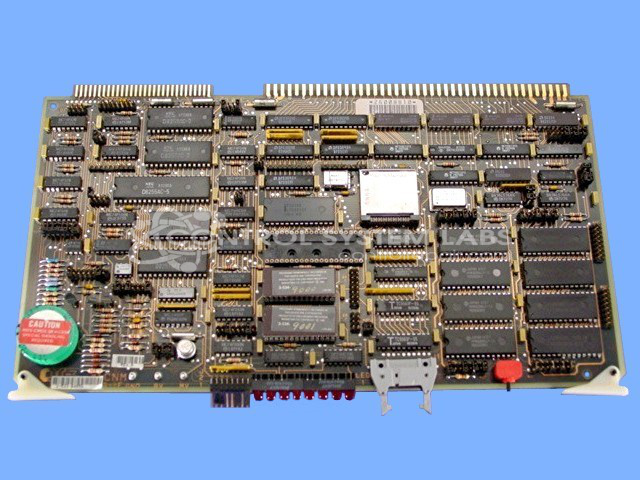
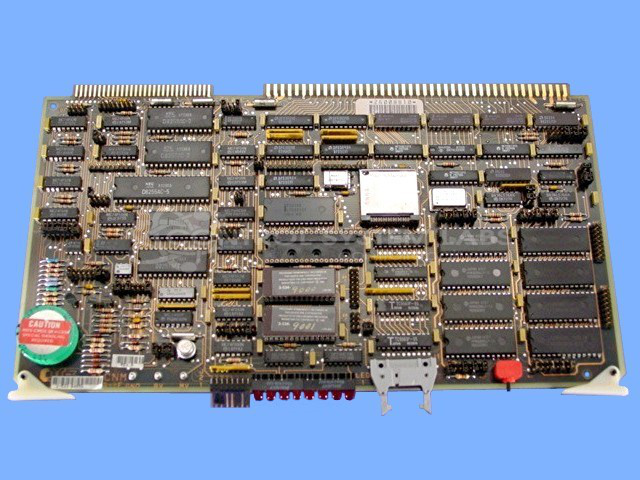
Product Overview: The CNM Board (3-533-0465G) is a control board manufactured by Cincinnati Milacron for industrial machine control applications. It features a microprocessor-based design with EPROM memory, D8255 peripheral interface, crystal oscillators, and a 5V backup capacitor for memory retention. This board is typically used in Cincinnati Milacron control systems and interfaces with operator panels for machine monitoring and diagnostics. Common configurations include scan indicator circuits and communication link capabilities for system integration.
Category: Control Board
Manufacturer: Cincinnati Milacron
Manufacturer Part Number: 3 533 0465G
Also Known As(AKA): 3-533-0465G
Requires an email for current repair pricing.
Common Failures
Customers report issues with the operation panel becoming stuck in a "waiting for link" state. This symptom often accompanies power indicators not progressing as expected during startup. Investigation may reveal reduced digital activity on some components and irregular power draw, which can indicate defects in power management components.
Repair Approach
The repair process involves diagnosing power draw and component activity, with focus on the backup capacitor. A defective backup capacitor has been identified as a common failure point and is replaced when confirmed during evaluation. Additional testing may involve cross-referencing with a known good comparison board to verify component behavior.
Testing & Quality
Testing includes component-level and power testing. Replacing the backup capacitor addresses a known failure point. Warranty coverage applies to components replaced during the repair, consistent with CSL warranty policy.
Service and repair your broken Cincinnati Milacron part
We can repair your Cincinnati Milacron model 3 533 0465G in our facility. Let our skilled technicians get your Cincinnati Milacron back in operation quickly.
Step 1 - Click the green 'Repair Now' button above to add the part and then complete the RMA.
Step 2 - The RMA form will be sent to you via email. Print the RMA form and put it in a box with the item(s) for repair.
Step 3 - Ship or mail the box to the address listed on the RMA.
Once the user has seen at least one product this snippet will be visible.