



Repair
Call for price
Purchase
CSL Part Number: 101161
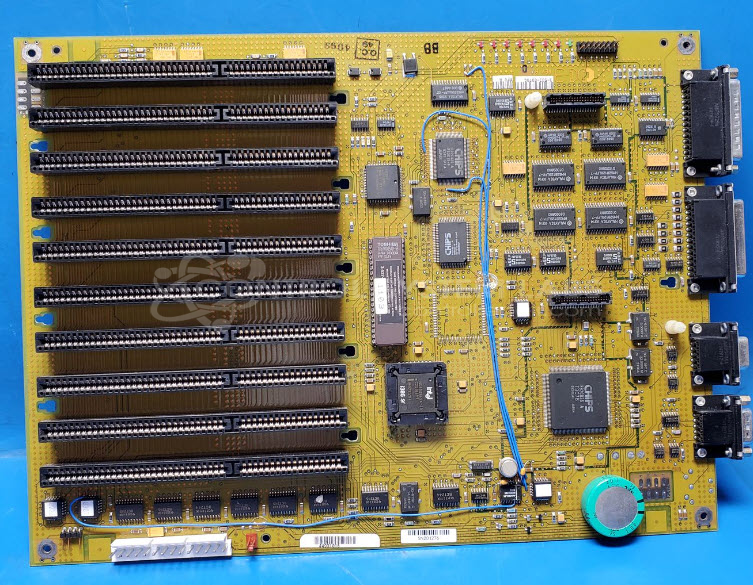
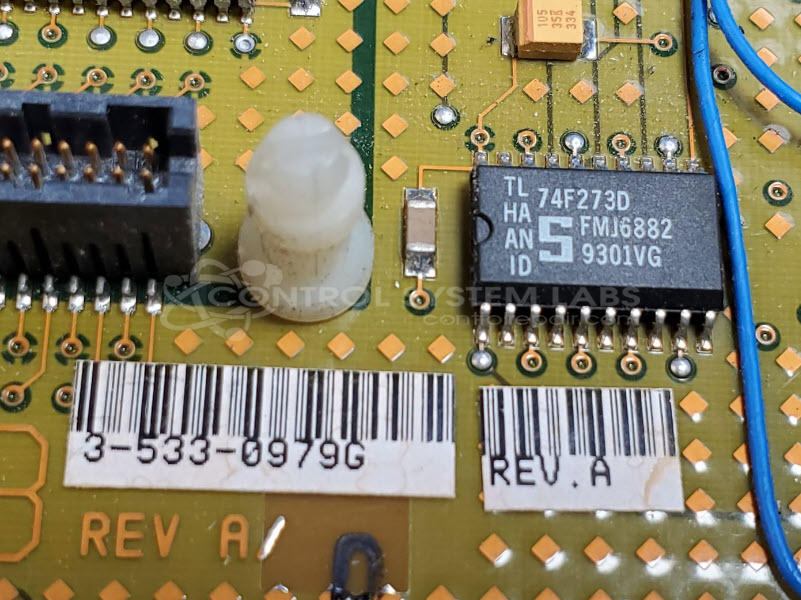
Product Overview: The VSP 10 Slot Mother Board (3-533-0979 Rev. A) is a Cincinnati Milacron industrial computer motherboard designed for their CNC machine tool control systems. It serves as the main processing and communication hub, interfacing with operator stations and managing system diagnostics through built-in self-tests. This board features a backup battery system for memory retention and multiple slot expansion capability for additional control modules.
Category: Computer Items
Manufacturer: Cincinnati Milacron
Manufacturer Part Number: 3-533-0979 Rev. A
This unit requires that the entire card cage with associated boards and HMI be sent in for the repair.
Common Failures
Some typical issues reported with this product include an "00041 alarm," which may indicate a stuck key at the operation station, and situations where the unit produces no output.
Repair Approach
When the "00041 alarm" is present, diagnostics may include testing the unit's self-test function to verify communication with the operation station. For units with no output, repair may not be possible if essential components such as the HMI unit are missing or unavailable. We can evaluate the item and provide a quotation before any repair work begins.
Testing & Quality
Units experiencing the "00041 alarm" may pass built-in self-tests during diagnostics if communication with critical components is functioning correctly. Units showing no output may be found Beyond Economic Repair if required parts are missing or non-functional. Our evaluation process will determine the serviceability of each unit.
Limited Repair
The Cincinnati Milacron part number is only available as a limited repair at our facility. Repairs to this item may be limited due to several reasons:
- Availability of parts
- Less than 100% test ability due to required support equipment
To have us attempt a repair on your Cincinnati Milacron part follow these steps:
Step 1 -
Click the Repair Now button above to add the part and complete the RMA form.
Step 2 -
Print the RMA form that is sent to your email, and put it in the box with the parts for repair.
Step 3 -
Mail the box to the address on the RMA.
After we receive your item, we will perform an inspection and an authorization to repair will be sent for your approval. Work will begin after your authorization is received.
Once the user has seen at least one product this snippet will be visible.