




Repair
Repair Price: $ 9,004.00
Purchase
CSL Part Number: 32597
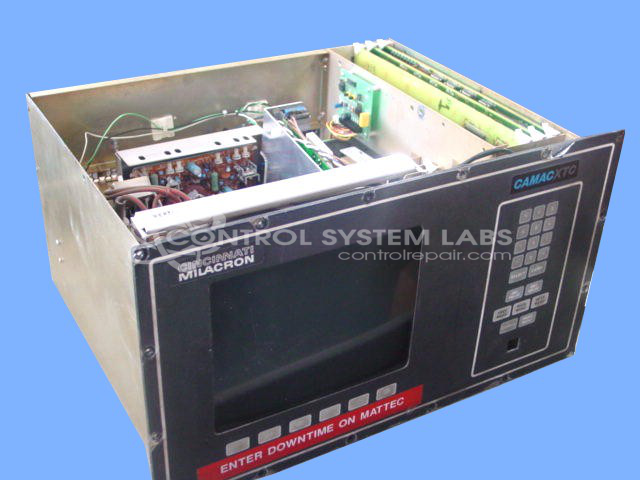
Product Overview: An industrial operator workstation integrating a color CRT monitor with internal processing and communication boards for machine control interface. Used on CNC machine tools and automated manufacturing systems to display status and accept keyboard input. Features a multi-board video and deflection architecture with battery-backed memory and internal power supply.
Category: Operator / Monitor Workstation
Manufacturer: Cincinnati Milacron
Manufacturer Part Number: CAMAC XTC
Also Known As(AKA): EUROTHERM
Repair is for the complete XTC Work Station.
Common Failures
Customers frequently report issues such as the unit not powering up, displaying no video, or showing unreliable operation with unusual characters. These problems are often traced back to issues within the power supply or video board components.
Repair Approach
Our typical repair process involves evaluating and replacing faulty components, such as electrolytic capacitors and certain chips on the video and deflection boards. Power supply issues are addressed by replacing damaged capacitors to eliminate ripple effects. In some cases, adjustments to the CRT may be necessary to improve picture quality. The repair process includes thorough testing and burn-in procedures to help ensure reliability.
Service and repair your broken Cincinnati Milacron part
We can repair your Cincinnati Milacron model CAMAC XTC in our facility. Let our skilled technicians get your Cincinnati Milacron back in operation quickly.
Step 1 - Click the green 'Repair Now' button above to add the part and then complete the RMA.
Step 2 - The RMA form will be sent to you via email. Print the RMA form and put it in a box with the item(s) for repair.
Step 3 - Ship or mail the box to the address listed on the RMA.
Once the user has seen at least one product this snippet will be visible.