




Repair
Repair Price: $ 2,272.00
Purchase
CSL Part Number: 28804
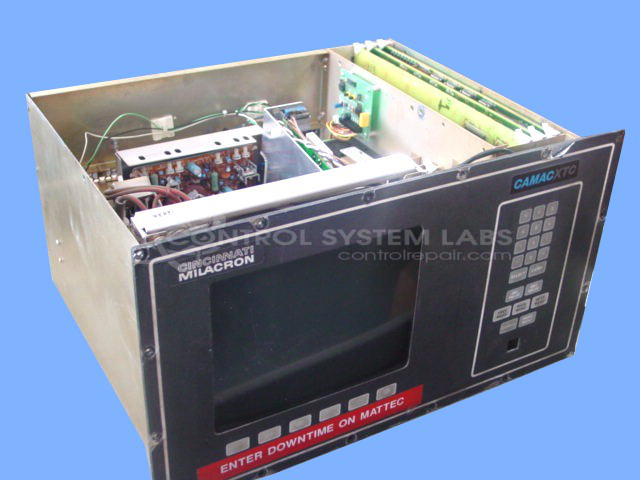
Product Overview: A 12-inch color CRT operator console used as the display and interface workstation on industrial CNC machine tools. It presents machine status, control screens, and keypad input, driven by internal video, deflection, and power supply boards with backplane data connections.
Category: Operator / Monitor Workstation
Manufacturer: Cincinnati Milacron
Manufacturer Part Number: CMO/COLOR/CRT
Also Known As(AKA): EUROTHERM
Repair price reflects monitor section only. Complete console is more money.
Common Failures
Common issues with this product include the failure of electrolytic capacitors in the power supply and deflection boards, which can lead to display problems. Capacitor failures on the CRT main board can cause symptoms such as erratic video and horizontal hold issues.
Repair Approach
Repairs often involve replacing defective capacitors on various boards, including the power supply, deflection board, and CRT main board. When display issues or erratic behavior are present, adjustments to the horizontal hold and verification of power supply voltage may be performed as part of the evaluation and repair process.
Testing & Quality
Following repairs, units undergo testing, which may include a burn-in period, to verify reliability and functionality. Testing procedures are designed to confirm that repairs have addressed the reported symptoms and that the unit has returned to operational status.
Service and repair your broken Cincinnati Milacron part
We can repair your Cincinnati Milacron model CMO/COLOR/CRT in our facility. Let our skilled technicians get your Cincinnati Milacron back in operation quickly.
Step 1 - Click the green 'Repair Now' button above to add the part and then complete the RMA.
Step 2 - The RMA form will be sent to you via email. Print the RMA form and put it in a box with the item(s) for repair.
Step 3 - Ship or mail the box to the address listed on the RMA.
Once the user has seen at least one product this snippet will be visible.