


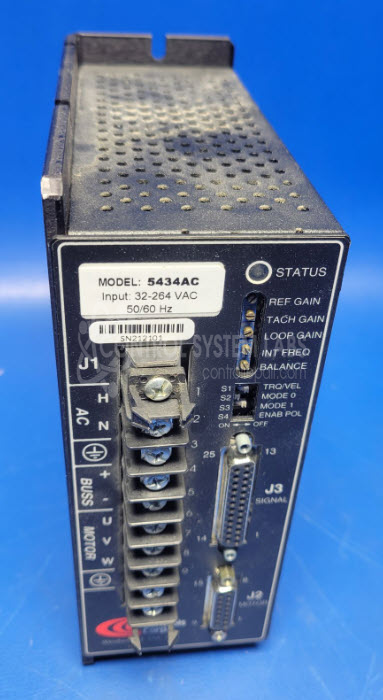
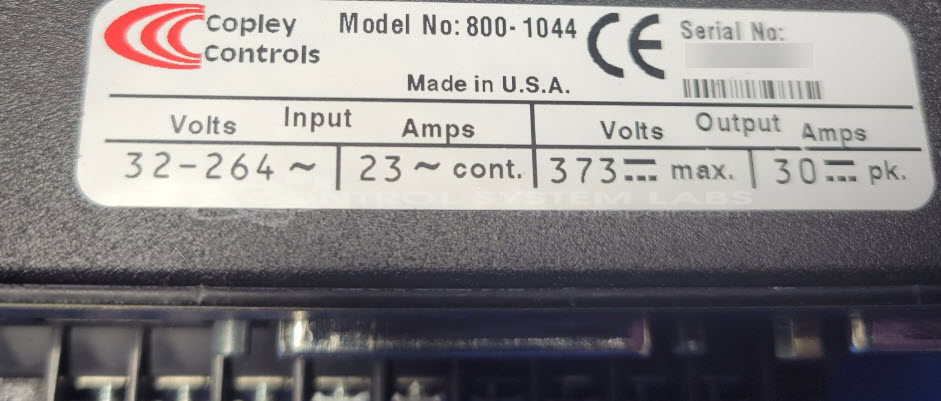


Repair
Repair Price: $ 940.00
Purchase
CSL Part Number: 121805
Product Overview: The Copley Controls 800-1454 is a servo amplifier designed to drive and control servo motors in motion control applications. It operates on 24-180V DC input and delivers up to 15 amps output current. Commonly found in paper handling machinery, printing equipment, and other industrial automation systems requiring precise motor positioning and speed control. The amplifier features configurable DIP switch settings for parameter adjustment and includes diagnostic LED indicators for operational status monitoring.
Category: Servo Controls
Manufacturer: Copley Controls
Manufacturer Part Number: 800-1044
Series: 800 Series DC Servo Amp.
Also Known As(AKA): 5434AC
Include wiring diagrams and motor information when sending in.
Common Failures
Units may exhibit LED indicator behavior or fail to power on when supplied with input voltage. Some units may draw minimal current without full operation.
Repair Approach
Once the unit is received and reviewed, we can provide a quotation before charges are incurred. Common repair work may include component-level evaluation and replacement of failed parts where available. If required parts are unavailable or the repair is not economically viable, we will notify the customer of those findings.
Testing & Quality
We conduct thorough diagnostic testing to identify faults and verify performance standards. Units are tested and verified before being cleared for return to service. Testing includes confirming proper operation under specified input conditions.
Service and repair your broken Copley Controls part
We can repair your Copley Controls model 800-1044 in our facility. Let our skilled technicians get your Copley Controls back in operation quickly.
Step 1 - Click the green 'Repair Now' button above to add the part and then complete the RMA.
Step 2 - The RMA form will be sent to you via email. Print the RMA form and put it in a box with the item(s) for repair.
Step 3 - Ship or mail the box to the address listed on the RMA.
Once the user has seen at least one product this snippet will be visible.