



Repair
Repair Price: $ 1,588.00
Purchase
CSL Part Number: 83345
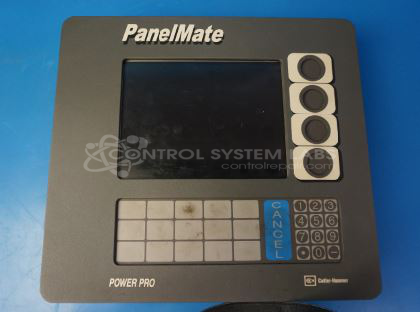
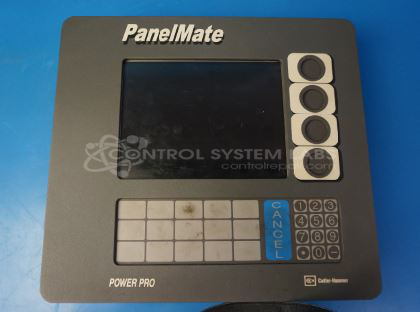
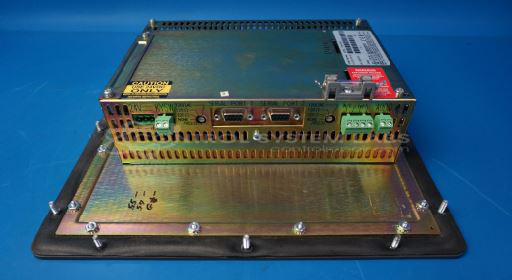
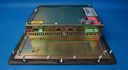
Product Overview: The Panelmate 1700 Power Pro is a Cutler-Hammer operator interface terminal from the PanelMate Power Pro Series. It provides graphical HMI capabilities for industrial control and monitoring applications. The unit features a display with backlight and membrane keypad for operator interaction with automated systems. It operates on 24VDC power and connects to PLCs or other controllers to visualize process data and allow manual input in manufacturing, process control, and industrial automation environments.
Category: Operator & Control Panels
Manufacturer: Cutler-Hammer
Manufacturer Synonyms: Eaton, Cutler-Hammer IDT
Manufacturer Part Number: 1775K PMPP
Series: PanelMate Power Pro Series
Also Known As(AKA): 92-01941-03
Common Failures
The most frequently reported issue with this product is a blank display, despite receiving 24V power and having intact fuses. The screen remains completely dark due to defective CCFL bulbs.
Repair Approach
To address the failure, we convert the backlight system from CCFL to LED. This involves installing a new LED strip and related electronic components. This conversion addresses the non-functional display and can improve the product's longevity and energy efficiency.
Testing & Quality Assurance
After repairs, all units undergo thorough testing to ensure display and keypad functionality. These tests confirm proper operation before the unit is returned.
Service and repair your broken Cutler-Hammer part
We can repair your Cutler-Hammer model 1775K PMPP in our facility. Let our skilled technicians get your Cutler-Hammer back in operation quickly.
Step 1 - Click the green 'Repair Now' button above to add the part and then complete the RMA.
Step 2 - The RMA form will be sent to you via email. Print the RMA form and put it in a box with the item(s) for repair.
Step 3 - Ship or mail the box to the address listed on the RMA.
Once the user has seen at least one product this snippet will be visible.