




Repair
Repair Price: $ 6,948.00
Purchase
CSL Part Number: 118403
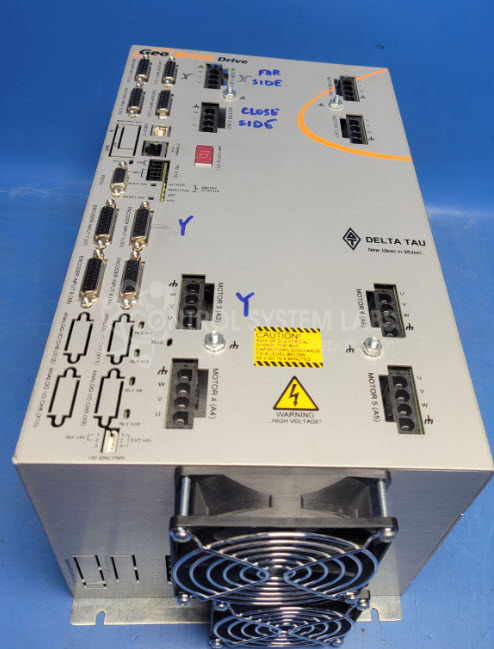
Product Overview: The Geo Brick Drive (GBL8) is a multi-axis servo motor controller and amplifier manufactured by Delta Tau Data Systems. It combines motion control processing with integrated power amplification in a compact package, capable of controlling up to eight servo axes. The unit features dual-port RAM (DPRAM) for real-time communication with host systems and supports multiple communication interfaces including USB, Ethernet, and RS-232. It uses IGBT-based power stages to drive servo motors and is commonly found in automated manufacturing equipment, CNC machines, and multi-axis robotic systems requiring precise coordinated motion control.
Category: Servo Controls
Manufacturer: Delta Tau Data Systems
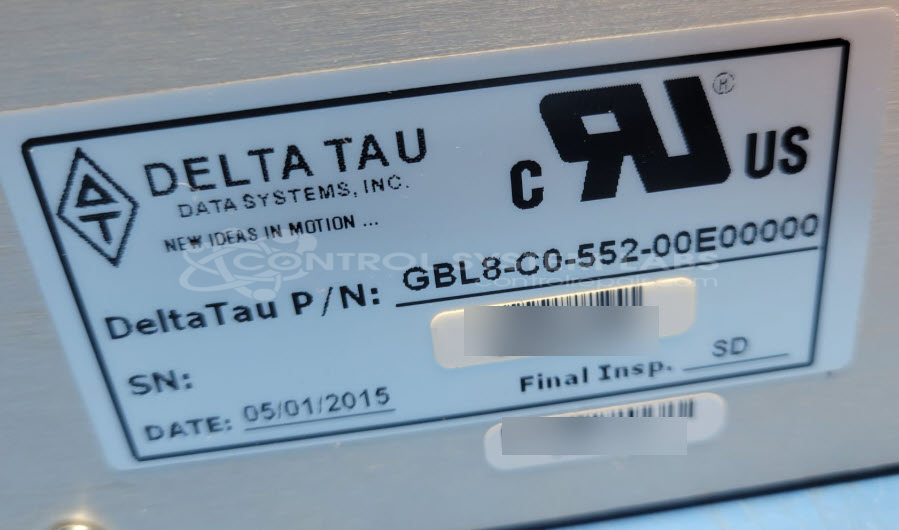
Manufacturer Part Number: GBL8-C0-552-00E00000
Please include if possible a manual, known good cables and a motor that is used with this.
Common Failures
This product may experience damage from arc flashes. Common issues include damage to outputs, the logic board, and the IGBT board. Depending on the extent of damage, some units may be beyond economic repair.
Repair Approach
Once a unit is received and evaluated, we can determine the scope of damage and provide a quotation before any repair work begins. In some cases, repairs may involve component replacement and circuit board restoration. However, the repairability of each unit depends on the extent of damage identified during evaluation.
Testing & Quality
Repaired units undergo comprehensive testing to verify functionality. This includes powering the logic portion and verifying communication via available interfaces. All repairs are reviewed to confirm quality before return to the customer.
Service and repair your broken Delta Tau Data Systems part
We can repair your Delta Tau Data Systems model GBL8-C0-552-00E00000 in our facility. Let our skilled technicians get your Delta Tau Data Systems back in operation quickly.
Step 1 - Click the green 'Repair Now' button above to add the part and then complete the RMA.
Step 2 - The RMA form will be sent to you via email. Print the RMA form and put it in a box with the item(s) for repair.
Step 3 - Ship or mail the box to the address listed on the RMA.
Once the user has seen at least one product this snippet will be visible.