




Repair
Repair Price: $ 640.00
Purchase
CSL Part Number: 16638
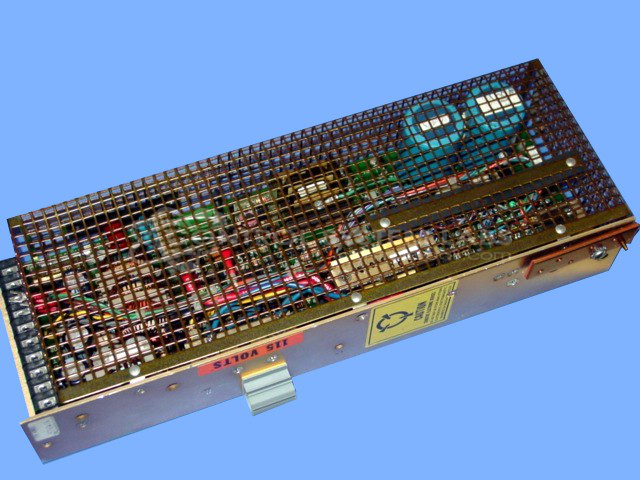
Product Overview: A quad-output switching power supply providing regulated DC voltages, typically +5V, +24V, +15V, and -15V. It supplies control power for CNC machine tool controls and industrial controllers, including Dynapath Delta 20 systems, powering processor boards and peripheral electronics.
Category: Power Supply
Manufacturer: Deltron Inc.
Manufacturer Synonyms: AUTOCON TECHNOLOGIES
Manufacturer Part Number: 10799XA
Also Known As(AKA): Q170
Power supplies are tested with a minimum 4-hour burn-in, under load.
Common Failures
Typical issues with this product include power-up problems such as high ripple in the 24-volt line, low power fail voltage, and non-functioning boards or controllers. Leaky low voltage electrolytic capacitors and broken solder joints have been identified as common failure points. Cases of broken AC transformers and defective voltage regulators also occur.
Repair Approach
Repairs frequently involve replacing low voltage electrolytic capacitors, resoldering broken joints, and sometimes replacing components such as voltage regulators and AC transformers. For certain cases, an additional load resistor may be installed to address noise issues. All replacements and soldering work are followed by thorough voltage checks.
Testing & Quality
Post-repair, units undergo burn-in testing under various load conditions, typically ranging from 5 hours to overnight, to help verify reliability and functionality. Voltages are carefully monitored to verify repair quality and stability of the power supply.
Service and repair your broken Deltron Inc. part
We can repair your Deltron Inc. model 10799XA in our facility. Let our skilled technicians get your Deltron Inc. back in operation quickly.
Step 1 - Click the green 'Repair Now' button above to add the part and then complete the RMA.
Step 2 - The RMA form will be sent to you via email. Print the RMA form and put it in a box with the item(s) for repair.
Step 3 - Ship or mail the box to the address listed on the RMA.
Once the user has seen at least one product this snippet will be visible.