




Repair
Repair Price: $ 616.00
Purchase
CSL Part Number: 49465
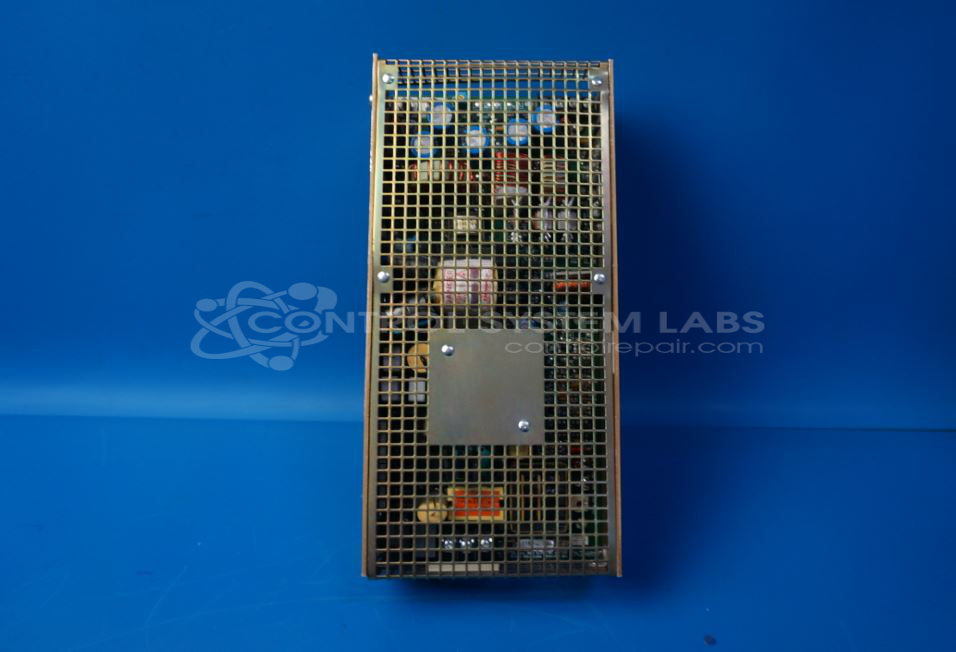
Product Overview: A 325-watt switch-mode power supply with four regulated DC outputs, including an adjustable +5V rail. It converts AC line input to multiple stable voltages for powering electronic systems, commonly used in nuclear imaging equipment. Requires integrated cover and cooling fan for full-load operation.
Category: Power Supply
Manufacturer: Deltron Inc.
Manufacturer Synonyms: AUTOCON TECHNOLOGIES
Manufacturer Part Number: 11620XA
Power supplies are tested with a minimum 4-hour burn-in, under load.
Common Failures
Units submitted for evaluation have exhibited issues including output problems, blown fuses, lack of output power, and ripple on the output. Common findings include faulty rectifier bridges, capacitors, overheated components, and PCB damage. In some cases, issues could not be verified during evaluation or repair was not economically feasible.
Repair Approach
Repairs may involve replacing faulty components such as rectifiers, electrolytic capacitors, thermistors, and integrated circuits. PCB repairs and footprint restoration may be necessary in cases of overheating or component failure. In some instances, preventative replacement of capacitors may be recommended based on evaluation findings.
Testing & Quality
Post-repair, units undergo testing processes including verification of problem resolution and extended burn-in periods to confirm reliability. Power supplies are tested under varying loads to confirm operational stability.
Service and repair your broken Deltron Inc. part
We can repair your Deltron Inc. model 11620XA in our facility. Let our skilled technicians get your Deltron Inc. back in operation quickly.
Step 1 - Click the green 'Repair Now' button above to add the part and then complete the RMA.
Step 2 - The RMA form will be sent to you via email. Print the RMA form and put it in a box with the item(s) for repair.
Step 3 - Ship or mail the box to the address listed on the RMA.
Once the user has seen at least one product this snippet will be visible.