




Repair
Repair Price: $ 332.00
Purchase
CSL Part Number: 87415
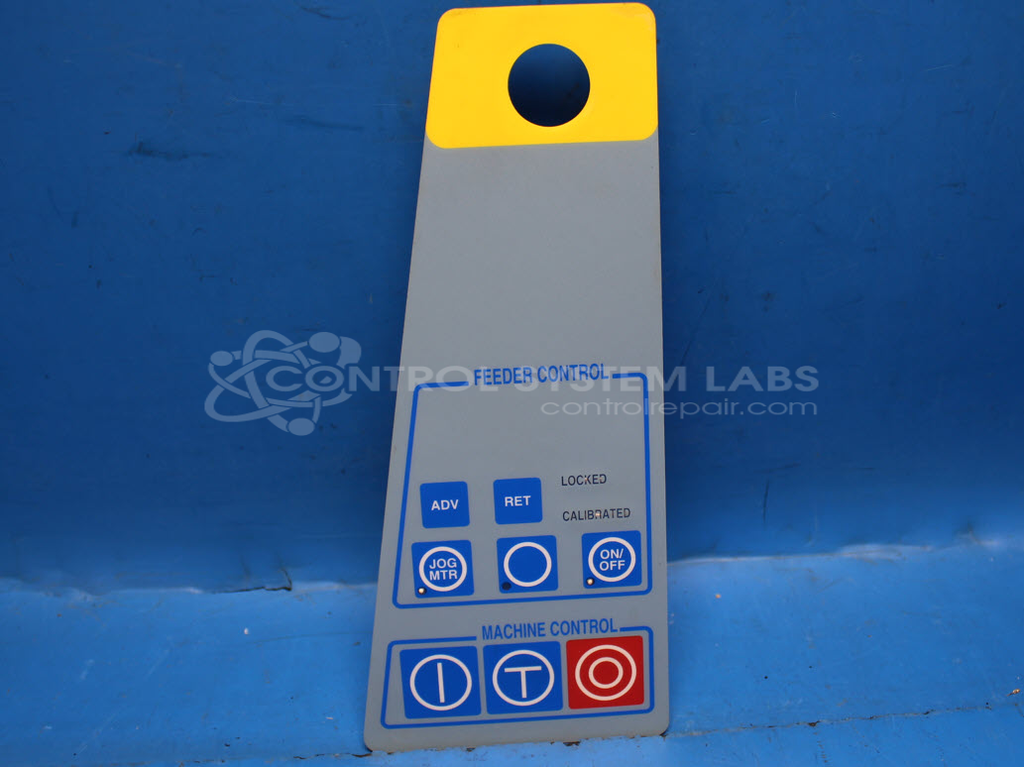
Product Overview: A membrane keypad (right-hand configuration) serving as the operator touchpad for inserter feeder stations. It provides button-based control input with integrated status LEDs, including calibrate and locked indicators. Commonly used in SLS 3000 inserters for mailing and bindery paper-handling equipment.
Category: Membrane Keypad
Manufacturer: Design Mark Industries
Alternate Manufacturer Names: Muller Martini
Manufacturer Part Number: 1770 Rev B Right
Also Known As(AKA): 7703.2696.3
Other Synonyms: Muller Martini
Common Failures
This product commonly experiences issues such as component failures, socket pin damage, and malfunctioning LEDs and buttons. Problems often include open circuits, non-responsive buttons, and LED failures.
Repair Approach
Repairs typically involve replacing faulty components, correcting pin alignment, and cleaning contacts. For button and LED issues, replacement components are installed and secured appropriately, and contacts are restored as needed. After repairs, components are cleaned to support proper functionality.
Testing & Quality
After repairs, testing verifies the operation of LEDs and buttons. This includes checks to confirm LED function and button operation. Verification is performed to ensure that the product operates as expected.
Service and repair your broken Design Mark Industries part
We can repair your Design Mark Industries model 1770 Rev B Right in our facility. Let our skilled technicians get your Design Mark Industries back in operation quickly.
Step 1 - Click the green 'Repair Now' button above to add the part and then complete the RMA.
Step 2 - The RMA form will be sent to you via email. Print the RMA form and put it in a box with the item(s) for repair.
Step 3 - Ship or mail the box to the address listed on the RMA.
Once the user has seen at least one product this snippet will be visible.